The media industry has changed dramatically over the past decade. Content is no longer created for just one newspaper, magazine, television channel, or website. Today, a single piece of content may need to move across websites, social media platforms, newsletters, mobile applications, video channels, and other digital platforms.
Behind every published article, campaign, video, or creative asset is a team of people working together. Writers create drafts, editors review them, designers prepare visual assets, publishers manage schedules, and marketing teams distribute the final content.
With so many people involved, keeping files, feedback, approvals, and content versions organized can become difficult.
This is where media management software can make a meaningful difference.
What Is Media Management Software?
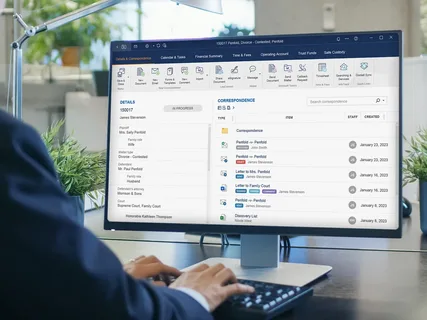
Media management software helps organizations organize, manage, and collaborate on digital content and media assets.
Depending on the organization, this may include:
- Articles and written content
- Images and graphics
- Videos and multimedia files
- Marketing materials
- Editorial documents
- Content drafts
- Published assets
- Approval documents
- Brand resources
Instead of storing these assets across individual computers, email attachments, and disconnected folders, teams can work within a more centralized digital environment.
The objective is simple: make content easier to organize, access, collaborate on, and manage throughout its lifecycle.
Why Content Teams Need Better Digital Workflows

Content production often involves many small steps.
An article may start with a writer, move to an editor, go through fact-checking, reach a designer, receive approval from a manager, and finally be published.
At every stage, files and feedback can change.
Without a structured workflow, teams may encounter problems such as:
- Multiple versions of the same document
- Missing files
- Unclear feedback
- Duplicate assets
- Delayed approvals
- Difficult-to-find content
- Confusion over which version is final
These problems may appear small individually, but they can add significant friction when a team publishes content every day.
1. Creating a Central Content Hub
One of the most useful features of modern content management software is the ability to centralize content.
Instead of keeping documents in different locations, teams can organize drafts, digital assets, approvals, and project files within a shared workspace.
For example, a publishing team working on a new campaign could maintain:
- Editorial drafts
- Images
- Design files
- Content calendars
- Approval documents
- Final versions
in one organized environment.
This reduces the need to repeatedly search through emails or ask colleagues where a particular file is located.
2. Helping Writers, Editors, and Designers Collaborate
Content creation is rarely an individual activity.
A writer may create the initial article, an editor may make changes, and a designer may create supporting graphics.
When each person works separately, communication can become fragmented.
A digital publishing platform can provide a shared environment where contributors can work around the same projects and information.
This makes it easier for writers, editors, designers, and other contributors to stay aligned throughout the content production process.
3. Reducing Version Confusion
One of the most common problems in content production is working with an outdated file.
Imagine that an editor sends a revised article to a writer. The writer makes additional changes to an older copy and sends it back.
Now the team has several versions of the same article.
Which one is the latest?
A centralized workspace with real-time updates can help reduce this type of confusion by making the latest content easier to identify and access.
This is particularly valuable for organizations producing a large volume of content.
4. Making the Publishing Workflow More Organized

A modern digital publishing platform can help organize content from the initial draft through the publishing stage.
A typical workflow might look like:
Idea → Draft → Editing → Design → Approval → Publishing → Distribution
Each stage may involve different people and different types of files.
When these activities are organized within a shared workspace, teams can have a clearer view of where content currently stands.
This does not eliminate the need for editorial judgment, but it can make the operational side of publishing more structured.
5. Managing Digital Assets More Efficiently
Media companies often handle large numbers of digital assets.
An organization might have thousands of:
- Product images
- Brand graphics
- Videos
- Logos
- Advertisements
- Illustrations
- Social media creatives
- Editorial photographs
Without proper organization, finding the right asset can become time-consuming.
Media management software can help teams maintain a more structured collection of digital assets so employees can locate the resources they need more easily.
This becomes especially important as a company grows and its content library expands.
6. Supporting Multiple Content Contributors
Modern media teams can include full-time employees, freelancers, agencies, contractors, and external contributors.
Not everyone needs the same level of access.
For example, a freelance writer may only need access to a specific project, while an editor may need broader access to editorial materials.
Role-based access and team permissions can help organizations provide appropriate access to different contributors.
This allows teams to collaborate without necessarily giving every user unrestricted access to all company information.
7. Connecting With Existing Publishing Platforms
Media organizations usually already have tools they depend on.
Replacing every existing platform simply to improve content management may not be practical.
Integration can therefore be an important consideration when choosing content management software.
Pocket Office’s Media & Publishing solution supports platforms such as WordPress and Drupal, allowing teams to work with existing publishing environments while organizing their broader content workflows.
8. Supporting Remote and Hybrid Media Teams
Media teams are increasingly distributed across different cities and countries.
Writers may work remotely, designers may be located in another region, and editors may coordinate projects from different offices.
This makes cloud-based collaboration increasingly useful.
A centralized workspace can give team members access to relevant files and projects without requiring everyone to work from the same physical office.
Pocket Office uses a cloud-based Desktop as a Service (DaaS) model, allowing organizations to centralize work environments and support teams working across different locations and devices.
9. Improving Content Workflow Without Adding Complexity
Technology should make work simpler rather than create another layer of complexity.
For media organizations, the ideal system should help answer practical questions:
- Where is the latest version?
- Who is working on this project?
- Has the content been approved?
- Where are the supporting assets?
- Who has access to the project?
- Which content is ready to publish?
A well-organized digital workspace can bring these elements closer together.
The goal is not to add more software for the sake of technology. It is to create a workflow that makes everyday content production easier to manage.
10. Why Content Management Is Becoming More Important
The volume of digital content continues to increase.
Businesses are publishing articles, videos, newsletters, social media posts, advertisements, podcasts, product content, and other digital experiences across multiple channels.
As the volume grows, content management becomes more than simply storing files.
Organizations need to think about:
Organization + Collaboration + Security + Workflow + Distribution
Managing these areas effectively can help content teams spend less time dealing with administrative problems and more time creating useful content.
What Should Businesses Look for in Media Management Software?
Before choosing a platform, organizations should consider their actual workflow.
Centralized Content
Can the platform keep important content and digital assets organized in one environment?
Collaboration
Can writers, editors, designers, and other contributors work together effectively?
Version Management
Can teams easily identify and access the latest version of content?
Access Controls
Can administrators control access according to roles and responsibilities?
Integrations
Can the platform work alongside existing publishing systems such as WordPress or Drupal?
Scalability
Can the solution support the organization as its content library and team grow?
Remote Accessibility
Can authorized users access their workspace from different locations and devices?
These questions can help organizations evaluate whether a solution fits their existing content operation.
The Future of Digital Publishing
The future of publishing is not simply about producing more content.
It is about producing, managing, and distributing content more efficiently.
As media organizations expand across multiple platforms, their internal workflows will become increasingly important. A strong content strategy needs more than creative ideas; it also needs organized processes behind those ideas.
Media management software, digital publishing platforms, and content management software can provide the infrastructure needed to support these workflows.
The technology may change over time, but the underlying objective remains the same: help the right people access the right content at the right stage of the publishing process.
Final Thoughts
Modern media teams have more opportunities to publish content than ever before, but those opportunities also create new organizational challenges.
When drafts, digital assets, feedback, approvals, and final content are spread across different systems, collaboration can become unnecessarily complicated.
A centralized digital workspace can help bring these elements together while supporting collaboration, controlled access, version management, and integration with existing publishing platforms.
For organizations looking to create a more organized digital content environment, Pocket Office’s Media & Publishing solution provides a centralized workspace designed to support media management, digital publishing workflows, content collaboration, and distributed teams.
Get in Touch with Pocket Office
Malaysia: +60 146600012
USA: +60 146600012
India: +91 9967940928
Website: https://pocket-office.ai/