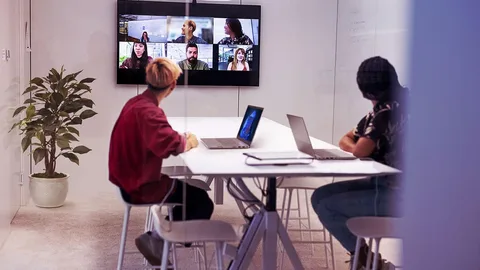
The way people work has changed significantly.
Employees no longer work from one computer in one office every day. Teams may be spread across different cities, countries, offices, and home environments. Businesses also rely on an increasing number of applications, cloud storage platforms, communication tools, and digital files.
While technology has made work more flexible, it has also created a new challenge: how do businesses keep everything organized when people and tools are spread across different environments?
This is one reason cloud desktop technology is becoming increasingly relevant to modern businesses.
Instead of depending entirely on a physical computer, a cloud desktop provides access to a digital working environment through the internet. Employees can access their workspace, files, applications, and business resources without being tied to a particular device.
What Is a Cloud Desktop?
A cloud desktop is a virtual desktop environment hosted in the cloud rather than being completely dependent on a user’s physical computer.
From the employee’s perspective, it can work much like a traditional desktop. Users can manage files, open applications, switch between tasks, and access their work environment.
The major difference is where the working environment is hosted.
Instead of everything being stored and managed locally on one device, the desktop environment can be accessed through a browser or supported device.
This makes the concept particularly useful for organizations with remote, hybrid, distributed, or multi-location teams.
Why Traditional Desktop Environments Can Become Challenging

Traditional computers are still useful, but managing large numbers of devices can become complicated.
A business may have hundreds of employees using different laptops and desktops. IT teams then need to think about:
- Device configuration
- Software installation
- Updates
- File storage
- Security
- Access permissions
- Backup
- Hardware replacement
- Remote support
When employees work from different locations, these responsibilities can become even more difficult.
A cloud-based workspace can shift some of this complexity away from individual devices and toward a centrally managed environment.
1. Work From Almost Anywhere
One of the biggest benefits of a cloud desktop is accessibility.
Employees may need to work from:
- Offices
- Homes
- Client locations
- Business trips
- Coworking spaces
- Different company branches
A browser-based workspace allows authorized users to access their working environment without being permanently tied to one physical computer.
Pocket Office describes its platform as a browser-based workspace designed to bring files, applications, and teams into one unified environment.
2. Bringing Files and Applications Together
Modern employees rarely use just one application.
A typical workday may involve email, documents, spreadsheets, project management tools, communication platforms, cloud storage, and industry-specific applications.
Moving between multiple platforms can create unnecessary friction.
A unified cloud workspace can provide a central place where employees access their files and applications.
This can make everyday work feel more organized, particularly for employees who regularly switch between different tools.
3. Making Remote Work More Practical
Remote work requires more than video meetings.
Employees need reliable access to documents, applications, shared folders, business systems, and communication tools.
If these resources are spread across different systems, remote employees may spend unnecessary time finding files or requesting access.
A cloud desktop can provide a consistent digital working environment regardless of where an employee is physically located.
This is especially useful for businesses with distributed teams.
4. Supporting Hybrid Teams
Hybrid work creates another challenge.
Some employees may work from the office while others work remotely. Team members may also switch between locations during the week.
A device-independent workspace can help provide greater consistency.
Employees can access the same working environment without having to recreate their setup every time they change locations.
This can be particularly helpful for businesses that want flexibility without completely redesigning their internal workflows.
5. Managing Files With Greater Control
File management becomes increasingly important as businesses grow.
Companies can accumulate thousands or even millions of documents, images, reports, presentations, and other files.
Simply storing these files is not enough. Businesses also need to control who can view, edit, or share them.
Modern cloud workspaces can provide permission-based file management.
Pocket Office, for example, includes file management with flexible permissions that allow organizations to control who can view, edit, or share files.
6. Connecting Existing Cloud Storage

Businesses do not necessarily want to move all their existing data to a completely new platform.
They may already use services such as Google Drive, OneDrive, Dropbox, Amazon S3, or other enterprise storage systems.
A useful cloud workspace should therefore work alongside existing storage infrastructure.
Pocket Office supports integrations with several cloud and enterprise storage providers, including Amazon S3, Alibaba OSS, Tencent COS, Google Drive, OneDrive, Dropbox, and MinIO. Its website also states that existing storage architecture can remain unchanged.
This approach can make adoption easier because organizations do not necessarily need to rebuild their entire storage environment.
7. Improving Team Collaboration
Work today is highly collaborative.
A document may be created by one employee, reviewed by another, approved by a manager, and shared with a customer or another department.
When files are exchanged through long email chains, it can become difficult to determine which version is current.
Shared workspaces and real-time file sharing can provide a more structured way for teams to work together.
Features such as shared workspaces, team permissions, and activity tracking can also help organizations maintain better visibility over collaborative work.
8. Security Matters as Much as Accessibility
Convenience should not come at the expense of security.
Businesses handle sensitive information every day, including customer documents, financial records, employee information, business plans, contracts, and internal files.
A cloud desktop environment should therefore include appropriate access controls and security measures.
Role-based access, controlled file permissions, secure data protection, and backup and recovery capabilities can help businesses establish a more structured approach to protecting information.
9. Supporting Different Types of Businesses
Cloud desktops are not limited to one particular industry.
They can be useful for organizations with different working models, including:
- Remote teams
- Startups
- Enterprises
- Freelancers
- Educational organizations
- Healthcare teams
- Finance and legal departments
- IT and software teams
The specific use case may differ, but the underlying requirement is similar: employees need reliable access to their digital work environment.
Pocket Office currently positions its cloud desktop across several industry and team types, including education, healthcare, finance and legal, IT and software, remote teams, startups, enterprises, and freelancers.
10. Reducing Dependence on Individual Devices
A common problem with traditional work environments is device dependence.
If an employee’s entire working environment exists on one laptop and that laptop fails, work can be disrupted.
A cloud-based environment can reduce the extent to which the user’s work depends on one physical device.
Employees can access their digital workspace from another supported device, subject to the organization’s security and access policies.
This can provide additional flexibility when devices are lost, damaged, replaced, or unavailable.
Cloud Desktop vs. Cloud Storage
Cloud desktop and cloud storage are related, but they are not the same thing.
Cloud storage primarily focuses on storing and accessing files.
A cloud desktop provides a broader working environment that can include files, applications, multitasking, workspace management, and collaboration.
Think of cloud storage as a place to keep your files.
A cloud desktop is closer to a complete digital workspace where you can work with those files and other business tools.
This distinction becomes important for organizations looking for more than simply online file storage.
What Should Businesses Look for in a Cloud Desktop?
Before choosing a platform, businesses should consider how it fits into their existing environment.
Browser Accessibility
Can employees access the workspace without depending on a particular physical device?
File Management
Can administrators control file access and permissions?
Collaboration
Does the platform support shared workspaces and file sharing?
Security
Are access controls, data protection, and recovery features available?
Existing Storage
Can the solution connect with the cloud storage platforms the organization already uses?
Application Access
Can employees access the applications and tools they need within their working environment?
Scalability
Can the platform support the organization as the number of users and teams grows?
These questions can help businesses evaluate whether a cloud desktop solution is appropriate for their working model.
The Future of Digital Workspaces
The workplace is becoming increasingly device-independent.
Employees expect to be able to work from different locations without losing access to important files and tools. At the same time, businesses need greater control over data, permissions, and digital resources.
Cloud desktop technology sits at the intersection of these two requirements.
It combines accessibility with centralized workspace management.
The future of work may not be defined by where an employee’s computer is located. Instead, it may increasingly be defined by the digital workspace they can securely access.
Final Thoughts
Modern businesses need more flexibility than traditional desktop environments can always provide.
As teams become more distributed, employees need access to files, applications, and collaboration tools from different locations and devices.
A cloud desktop can provide a centralized digital environment that supports this way of working while helping businesses manage files, permissions, collaboration, and existing storage systems.
For organizations exploring a more flexible approach to digital work, Pocket Office’s cloud desktop platform provides a browser-based workspace designed to bring files, applications, and teams together in one environment.
Get in Touch with Pocket Office
Malaysia: +60 146600012
USA: +60 146600012
India: +91 9967940928
Website: https://pocket-office.ai/
Leave a Reply