Category: Uncategorized

  • AI in Healthcare: Powerful Ways to Build Secure Digital Workflows

    AI in Healthcare: Powerful Ways to Build Secure Digital Workflows

    Healthcare organizations manage some of the most sensitive information in any industry.

    Patient records, medical documents, clinical reports, administrative files, and other healthcare information need to be available to authorized professionals while remaining protected from unnecessary access.

    At the same time, healthcare is becoming increasingly digital. Doctors, administrators, specialists, support teams, and other professionals may need to work across hospitals, clinics, offices, and remote environments.

    This creates an important challenge: how can healthcare organizations make digital information accessible without compromising security and control?

    Modern AI in healthcare is part of the answer, but technology alone is not enough. Healthcare organizations also need secure digital workspaces, controlled access, organized information, and workflows that support collaboration.

    This is where healthcare management software and cloud-based work environments can play an important role.

    Why Secure Digital Workflows Matter in Healthcare

    Healthcare teams deal with information that needs careful handling.

    A single workflow might involve:

    • Patient documentation
    • Medical reports
    • Clinical records
    • Administrative documents
    • Internal communications
    • Appointment information
    • Operational reports
    • Healthcare applications

    When these resources are spread across disconnected systems, teams may spend unnecessary time searching for information or switching between platforms.

    A centralized digital environment can help healthcare teams organize information while maintaining appropriate access controls.

    Pocket Office’s healthcare solution is designed around secure access to files and systems, controlled permissions, privacy, and support for remote and hybrid healthcare work.

    1. Centralize Healthcare Information

    AI

    Healthcare organizations often operate across multiple departments and locations.

    Hospitals, clinics, laboratories, administrative offices, and remote teams may all need access to different information.

    Keeping important files in disconnected locations can make collaboration more difficult.

    A centralized workspace can provide healthcare teams with a more structured way to access documents and information.

    Pocket Office supports centralized healthcare files, allowing teams to access documents across hospitals, clinics, and remote locations without relying entirely on local systems.

    The objective is not simply to store more information. It is to make important resources easier for authorized users to find and manage.

    2. Use Role-Based Access for Sensitive Data

    Not every healthcare professional needs access to every piece of information.

    A doctor, administrator, specialist, and support employee may have completely different responsibilities.

    This makes access control a critical part of healthcare management software.

    Role-based permissions allow organizations to structure access according to a user’s responsibilities.

    For example, one employee may need access to clinical documents while another may only need administrative information.

    Pocket Office’s healthcare environment uses strict role-based permissions to help ensure that only authorized personnel can view or manage confidential healthcare data.

    This approach can help organizations maintain stronger control over sensitive information.

    3. Support Remote and Hybrid Healthcare Teams

    AI

    Healthcare work is not always performed in one physical location.

    Specialists may work between facilities. Administrative teams may work remotely. Healthcare organizations may also operate multiple branches or clinics.

    This makes flexible access increasingly important.

    A cloud-based workspace can allow authorized users to access their work environment from different locations without depending on one particular computer.

    Pocket Office provides a browser-based cloud desktop that is designed to work across devices and support distributed teams.

    For healthcare organizations, this can support remote-ready workflows while keeping access structured.

    4. Connect Healthcare Systems With Existing Tools

    Healthcare organizations already rely on specialized software.

    Replacing established systems simply to introduce a new workspace may not be practical.

    Instead, modern digital environments should be able to work alongside existing healthcare technology.

    Pocket Office’s healthcare solution is designed to integrate with EHR systems, hospital management software, and secure cloud platforms. These integrations can support healthcare workflow automation, reporting, and medical documentation.

    This makes the digital workspace part of a broader technology environment rather than an isolated system.

    5. Improve Healthcare Workflow Automation

    Many healthcare workflows involve repetitive administrative activities.

    Teams may need to organize documents, prepare reports, update records, communicate information, and coordinate activities across departments.

    Healthcare workflow automation can help reduce unnecessary manual steps and create more consistent processes.

    AI can support this transformation by helping organizations identify repetitive processes and improve how information moves through their workflows.

    However, automation should be implemented carefully.

    Healthcare organizations need to consider privacy, access control, data quality, and regulatory requirements when introducing AI-powered workflows.

    The technology should support healthcare professionals rather than create additional complexity.

    6. Make Medical Documentation More Organized

    AI

    Documentation is an essential part of healthcare operations.

    Medical information may need to be reviewed by multiple authorized professionals during the course of care or administration.

    When documentation is scattered across different systems, finding the correct information can take valuable time.

    A centralized workspace can help organize medical documents and related resources.

    Pocket Office specifically highlights support for reports and medical documentation through integrations with healthcare management systems and secure cloud platforms.

    Better organization can make it easier for authorized teams to work with the information they need.

    7. Build Security Into the Digital Workspace

    Security should not be treated as an afterthought in healthcare.

    Healthcare organizations need to think about who can access information, how information is shared, how activity is monitored, and how data is protected.

    Pocket Office describes security as a foundational part of its cloud desktop approach, with access controls, secure data protection, backup and recovery, and activity tracking available across the broader platform.

    For healthcare organizations, these capabilities can become part of a wider strategy for managing sensitive digital information.

    The Role of AI in Modern Healthcare

    The phrase AI in healthcare can refer to many different applications.

    AI may be used in areas such as:

    • Healthcare workflow automation
    • Data analysis
    • Medical documentation
    • Administrative processes
    • Patient communication
    • Operational planning
    • Research
    • Decision-support systems

    But successful healthcare technology is not only about adding AI.

    Organizations also need the infrastructure around it.

    AI tools require access to information, while healthcare information requires careful security and governance.

    This makes the relationship between AI, cloud workspaces, access controls, and healthcare systems increasingly important.

    Why Healthcare Teams Need a Connected Workspace

    Healthcare professionals often work with several applications during the same day.

    Switching between systems can make workflows more complicated, particularly when documents and information are stored in different places.

    A unified workspace can bring files, applications, and collaboration resources closer together.

    Pocket Office’s broader cloud desktop platform brings files, applications, teams, and storage sources into one browser-based environment while supporting access controls and collaboration.

    For healthcare teams, this can provide a more consistent digital environment without requiring every existing system to be replaced.

    What Healthcare Organizations Should Consider

    Before adopting new healthcare management software or AI-powered tools, organizations should consider several practical questions:

    Is access properly controlled?

    Sensitive information should only be available to appropriate users.

    Can teams work across locations?

    Healthcare professionals may need to access resources from different facilities or remote environments.

    Does the technology integrate with existing systems?

    Organizations should consider how new tools will work with their current EHR and hospital management systems.

    Is the workflow actually becoming simpler?

    Technology should reduce unnecessary complexity rather than create another disconnected system.

    Can the organization maintain privacy and compliance?

    Healthcare data requires careful handling, and digital workflows should be designed with relevant privacy and regulatory requirements in mind.

    Final Thoughts

    The future of healthcare technology is not simply about using more AI.

    It is about creating connected digital environments where healthcare professionals can access the right information, use the right applications, collaborate securely, and maintain control over sensitive data.

    AI in healthcare, healthcare management software, and healthcare workflow automation can all contribute to this transformation when supported by appropriate infrastructure and security practices.

    Pocket Office provides a cloud-based healthcare workspace designed to support secure information access, role-based permissions, remote and hybrid workflows, medical documentation, and integration with existing healthcare systems.

    As healthcare organizations continue to adopt digital technologies, building secure and well-organized workflows can be just as important as choosing the latest technology.

    Get in Touch with Pocket Office

    Malaysia: +60 146600012
    USA: +60 146600012
    India: +91 9967940928
    Website: https://pocket-office.ai/

  • Accounting Software: 7 Powerful Ways to Organize Modern Financial Workflows

    Accounting Software: 7 Powerful Ways to Organize Modern Financial Workflows

    Financial information is at the center of almost every business decision.

    Invoices, expense records, reports, budgets, payment information, and financial documents all need to be available when businesses need them. But as a company grows, managing this information can become increasingly difficult.

    Finance teams may work with spreadsheets, accounting applications, shared folders, email attachments, and documents stored across different devices.

    This can create a simple but important problem: financial information becomes difficult to organize and access.

    Modern accounting software can help businesses create a more structured approach to managing financial information. Instead of relying on disconnected files and manual processes, teams can use centralized digital workspaces to organize documents, collaborate, and control access.

    Pocket Office takes this approach further by providing a cloud-based environment where finance teams can manage financial reports, invoices, and records while maintaining controlled access to sensitive information.

    Why Financial Organization Matters

    Financial management is not only about calculating numbers.

    Finance teams also need to make sure information is:

    • Easy to find
    • Properly organized
    • Available to authorized users
    • Updated when changes are made
    • Protected from unnecessary access
    • Available when reports or decisions are required

    When financial documents are spread across multiple locations, even a simple request can take time.

    For example, someone may need to locate an invoice from several months ago. If the document is stored in an email conversation, a personal computer, and a shared folder, finding the correct version can become unnecessarily difficult.

    A centralized finance and accounting software environment can help create a more consistent workflow.

    1. Bring Financial Documents Into One Workspace

    Accounting Software

    One of the simplest ways to improve financial organization is to create a central location for important documents.

    A finance team may need to manage:

    • Invoices
    • Expense records
    • Financial reports
    • Receipts
    • Budgets
    • Statements
    • Tax-related documents
    • Internal financial records

    Keeping these resources organized in one structured workspace can make information easier to locate.

    Pocket Office provides a centralized financial workspace designed to help teams organize reports, invoices, and records within a cloud environment.

    This can reduce the need to search through multiple disconnected storage locations.

    2. Reduce Dependence on Scattered Spreadsheets

    Spreadsheets can be useful for financial analysis, but problems can arise when multiple copies of the same spreadsheet exist.

    A finance team might have:

    Budget_Final.xlsx

    Budget_Final_v2.xlsx

    Budget_Updated.xlsx

    Budget_Approved.xlsx

    When several people are editing different copies, it can become difficult to know which version contains the latest information.

    Modern business accounting software can help create a more structured environment for financial information and collaboration.

    The goal is not necessarily to eliminate spreadsheets. Instead, businesses can establish clearer systems for where financial information is stored and how teams work with it.

    3. Control Who Can Access Financial Information

    Financial documents can contain sensitive business information.

    Not every employee needs access to invoices, reports, budgets, payroll-related records, or other financial documents.

    This makes access control an important part of modern financial management.

    Pocket Office supports permissions within its finance and accounting environment so that sensitive financial information can be limited to authorized users.

    For businesses, this creates a more structured approach to financial information.

    Different users can have different responsibilities, and access can be managed accordingly.

    4. Improve Collaboration Between Finance Teams

    Finance is rarely handled by one person alone.

    Depending on the organization, financial workflows may involve:

    • Accountants
    • Finance managers
    • Business owners
    • Operations teams
    • Procurement teams
    • External accountants
    • Management

    When financial documents are shared through disconnected channels, collaboration can become difficult.

    A centralized workspace can make it easier for authorized team members to access the same information and work from current documents.

    Pocket Office’s finance solution emphasizes real-time collaboration and updates to help reduce errors caused by outdated files or duplicated documents.

    5. Make Remote Financial Work Easier

    Accounting Software

    Finance teams are increasingly working across offices, homes, and different locations.

    A traditional workflow may depend heavily on a specific office computer or locally stored files.

    A cloud-based workspace changes this model.

    With a browser-based cloud desktop, users can access their working environment without being tied to a particular physical device. Pocket Office is designed to provide access to files, applications, and workspaces across devices.

    For distributed finance teams, this can make financial workflows more flexible.

    A team member can continue working from another location without having to recreate their entire working environment.

    6. Connect Existing Financial Tools

    Businesses do not usually use only one financial application.

    A company may already depend on accounting platforms for bookkeeping, reporting, invoicing, or financial management.

    Replacing every existing system may not be practical.

    Instead, businesses can benefit from connecting their existing tools to a broader digital workspace.

    Pocket Office’s business accounting software environment supports integrations with financial platforms including QuickBooks, Zoho Books, Xero, and SAP Financials.

    This allows organizations to build around tools they already use while creating a more organized workspace for financial information.

    7. Create a More Consistent Financial Workflow

    Accounting Software

    Good financial management depends on consistency.

    Teams need clear processes for storing documents, sharing information, reviewing reports, and managing access.

    A consistent workflow can help answer basic questions quickly:

    • Where is the latest financial report?
    • Who can access this document?
    • Which invoice has already been reviewed?
    • Where should new financial records be stored?
    • Which version of a document is current?

    When these processes are clearly defined, finance teams can spend less time searching for information and more time working with it.

    Accounting Software Is More Than Bookkeeping

    When people hear accounting software, they often think about bookkeeping and calculations.

    But modern financial workflows involve much more than recording transactions.

    Businesses also need to manage documents, collaborate with teams, control access, maintain records, and make financial information available for decision-making.

    This is why the surrounding workspace can be just as important as the accounting application itself.

    A well-organized environment can help connect financial documents, applications, users, and workflows.

    How Pocket Office Supports Financial Teams

    Pocket Office provides a cloud-based workspace designed to support finance and accounting teams.

    Its Finance & Accounting solution focuses on centralized financial documents, secure access, collaboration, and connections with established financial platforms.

    The broader Pocket Office platform also provides features such as file management, shared workspaces, team permissions, activity tracking, role-based access, backup and recovery, and secure data protection.

    This means financial teams can have a structured workspace around the tools and documents they already use.

    What Businesses Should Look for in Accounting Software

    Before choosing or improving an accounting technology setup, businesses should consider more than price or the number of features.

    Important considerations include:

    Security

    Financial information should be accessible only to appropriate users.

    Organization

    Documents and records should be easy to find and manage.

    Collaboration

    Teams should be able to work together without creating unnecessary duplicate files.

    Accessibility

    Authorized users should be able to work from different locations and devices.

    Integration

    The system should work with the financial applications the business already depends on.

    Scalability

    The workflow should remain useful as the organization grows and its financial information increases.

    Final Thoughts

    Effective financial management starts with accurate information, but it also depends on how that information is organized.

    Modern accounting software can help businesses manage financial records, invoices, reports, and documents in a more structured way. When combined with centralized workspaces, controlled permissions, real-time collaboration, and existing financial applications, businesses can create a more connected financial workflow.

    Pocket Office brings these capabilities together through a cloud-based workspace designed for finance and accounting teams. It provides centralized access to financial documents while supporting permissions, collaboration, activity tracking, and integrations with tools such as QuickBooks, Zoho Books, Xero, and SAP Financials.

    The result is not simply another place to store financial files. It is a more organized digital environment where finance teams can access, manage, and collaborate on financial information from wherever they work.

    Get in Touch with Pocket Office

    Malaysia: +60 146600012
    USA: +60 146600012
    India: +91 9967940928
    Website: https://pocket-office.ai/

  • How Pocket Office Is Building a More Connected Digital Classroom

    How Pocket Office Is Building a More Connected Digital Classroom

    Education is changing quickly.

    Students are no longer dependent on a classroom, a school computer, or a physical folder to access everything they need to learn. Assignments, lesson materials, presentations, projects, communication, and collaboration are increasingly becoming part of a digital learning environment.

    But moving education online also creates new challenges.

    Students may use different devices. Teachers may manage resources across multiple platforms. Assignments can be spread across different systems, and institutions need to make sure the right people have access to the right information.

    This is where Pocket Office takes a different approach.

    Rather than treating digital education as a collection of separate applications, Pocket Office provides a unified cloud desktop where students and educators can access learning materials, assignments, applications, and collaboration tools in one environment.

    What Is a Digital Classroom?

    A digital classroom is more than an online meeting.

    It is an environment where students and educators can access the resources they need to teach and learn.

    This can include:

    • Course materials
    • Assignments
    • Documents
    • Educational applications
    • Collaboration tools
    • Shared files
    • Communication resources
    • Learning platforms

    The challenge is keeping these resources organized.

    When students have to move between multiple systems to find files, complete assignments, and collaborate, the learning experience can become unnecessarily complicated.

    Pocket Office approaches this by bringing important resources into a centralized cloud workspace.

    1. One Workspace for Students and Educators

    Pocket

    One of the main ideas behind Pocket Office’s education solution is the unified digital classroom.

    Instead of depending on a specific physical computer, students and educators can access their workspace through a cloud-based environment.

    Learning materials, assignments, and collaboration resources can remain available within the same digital workspace.

    This can help create a more consistent experience for students whether they are working in a classroom, computer lab, or from home.

    2. Learning Can Continue Beyond the Classroom

    One of the biggest advantages of a cloud-based learning environment is continuity.

    A student might begin working on an assignment at school and need to finish it later at home.

    With a traditional device-dependent workflow, this may involve downloading files, transferring documents, or finding another way to access school resources.

    Pocket Office is designed to support classroom-to-home learning, allowing students to continue their work across devices without having to repeatedly re-upload files or lose progress.

    This creates a learning environment that is less dependent on where the student happens to be.

    3. A Cloud Desktop Can Simplify Digital Learning

    The idea behind a cloud desktop is relatively straightforward.

    Instead of keeping the entire working environment tied to one physical computer, the workspace is hosted in the cloud and accessed through the browser.

    Pocket Office describes its platform as a cloud desktop that brings files, applications, and teams into a unified environment. It is designed to run across devices without requiring traditional software installation.

    For educational institutions, this approach can make it easier to provide students and educators with a consistent digital workspace.

    4. Education Needs Different Levels of Access

    Not everyone in an educational institution needs access to the same information.

    A student may need course materials and assignments.

    A teacher may need access to teaching resources and student-related materials.

    An administrator may require access to broader institutional information.

    This makes access control an important part of education management software.

    Pocket Office supports role-based permissions so that students, teachers, and administrators can access content relevant to their roles.

    This approach can help institutions maintain better structure over shared digital resources.

    5. Existing Education Platforms Still Matter

    Pocket

    A digital workspace does not need to replace every tool an institution already uses.

    Schools and educational organizations may already depend on platforms such as Google Classroom, Moodle, Canvas LMS, or Microsoft Teams for Education.

    The challenge is making these tools work as part of a broader workflow.

    Pocket Office’s education solution integrates with these education platforms, helping institutions connect course management, assignments, and collaboration within their broader digital workspace.

    This allows organizations to build on existing technology rather than completely starting over.

    6. Making Remote Education More Practical

    Remote education requires more than video calls.

    Students need access to learning materials, assignments, applications, and collaboration resources regardless of their location.

    A cloud-based workspace can help provide this consistency.

    Pocket Office supports classroom and remote learning through a centralized environment where students and educators can access relevant resources.

    This can be particularly useful for institutions that use a combination of classroom, hybrid, and remote learning models.

    7. Collaboration Becomes Part of the Learning Environment

    Learning is not always an individual activity.

    Students work together on projects. Teachers share resources. Departments collaborate on educational programs.

    A digital workspace can make these interactions easier to organize.

    Pocket Office includes collaboration capabilities such as real-time file sharing, shared workspaces, team permissions, and activity tracking as part of its broader platform.

    Instead of treating collaboration as something separate from learning, institutions can make it part of the digital classroom itself.

    Why Pocket Office Can Be Useful for Modern Education

    Pocket

    The value of technology in education is not simply about having more applications.

    It is about reducing unnecessary friction.

    If students can access their resources more easily, teachers can organize materials more effectively, and institutions can manage access from a centralized environment, the technology becomes part of a smoother learning workflow.

    Pocket Office brings these elements together through a cloud-hosted workspace designed for secure access, collaboration, and flexible learning environments.

    The Future of the Digital Classroom

    The future classroom may not be defined by a physical room.

    Instead, it may be a combination of physical classrooms, computer labs, home environments, cloud applications, digital resources, and collaborative workspaces.

    That does not mean technology replaces teachers or traditional education.

    It means technology can provide the infrastructure that allows education to remain connected when students and educators move between different environments.

    A platform such as Pocket Office can support this transition by providing a consistent cloud desktop where learning resources, assignments, applications, and collaboration tools can exist within one connected environment.

    Final Thoughts

    A successful digital learning environment needs more than individual educational applications.

    It needs a foundation that connects those tools and makes them easier for students and educators to use.

    Pocket Office approaches this through a unified cloud desktop designed for education, supporting digital classrooms, classroom-to-home learning, role-based access, collaboration, and integration with existing education platforms.

    As education continues to become more connected, flexible, and digital, having a consistent workspace can help institutions create learning environments that are easier to access and manage.

    Get in Touch with Pocket Office

    Malaysia: +60 146600012
    USA: +60 146600012
    India: +91 9967940928
    Website: https://pocket-office.ai/

  • AI in Education: 7 Powerful Ways to Create Better Digital Learning

    AI in Education: 7 Powerful Ways to Create Better Digital Learning

    Education is no longer limited to what happens inside a classroom. Students may begin an assignment at school, continue working from home, join a remote lesson, or collaborate with classmates from different locations.

    As learning becomes increasingly digital, schools and educational institutions need systems that can keep these experiences connected.

    This is where AI in education can become part of a broader digital learning strategy.

    Rather than thinking of artificial intelligence only as a tool for generating answers or automating individual tasks, educators can look at how technology can support communication, organization, access to learning resources, and more connected learning environments.

    When combined with cloud-based tools and education management software, AI can contribute to a more flexible way of organizing modern education.

    1. Creating a More Connected Digital Classroom

    A digital classroom should provide more than a place to upload assignments.

    Students and educators may need access to lesson materials, documents, assignments, communication tools, and collaboration resources from the same environment.

    Artificial intelligence in education can support this connected approach by helping institutions organize and manage increasingly digital learning experiences.

    A centralized cloud workspace can provide students and teachers with a consistent environment where important learning resources remain accessible.

    This can be particularly useful when students move between classrooms, computer labs, and home learning environments.

    2. Supporting Classroom-to-Home Learning

    Learning

    One of the challenges of digital education is maintaining continuity when students change locations.

    A student might begin an assignment on a school computer and need to finish it at home. If files are stored locally, the student may have to transfer documents or start again on another device.

    Cloud-based learning environments can reduce this friction.

    With a centralized workspace, students can continue accessing their learning materials across supported devices instead of depending on a single computer.

    This approach supports the idea that learning can continue beyond school walls.

    Pocket Office’s Education solution is designed around this classroom-to-home model, allowing students to access learning resources and continue their work across locations.

    3. Making Learning Resources Easier to Organize

    Educational institutions manage a large amount of information.

    Teachers may work with:

    • Lesson plans
    • Assignments
    • Presentations
    • Study materials
    • Videos
    • Worksheets
    • Research documents
    • Student projects
    • Assessment resources

    When these materials are scattered across different platforms, finding the right information can become difficult.

    A centralized education management software environment can help bring important resources together.

    AI can further support organizations as they manage larger volumes of digital information, helping create more structured workflows around educational content.

    The goal is not to replace teachers. Instead, technology can help reduce some of the organizational friction surrounding teaching and learning.

    4. Supporting Different Learning Environments

    Not every student learns in exactly the same environment.

    Some students attend traditional classrooms. Others may participate in hybrid programs or remote learning. Institutions may also use computer labs and specialized learning spaces.

    A flexible digital learning environment needs to support these different situations.

    AI in education can contribute to more adaptable digital experiences by helping institutions use technology across different learning environments.

    A cloud desktop can provide a consistent workspace so that students and educators do not have to completely change their workflow when moving between locations.

    This can make digital learning more accessible and easier to manage.

    5. Improving Collaboration Between Students and Educators

    Education is highly collaborative.

    Students work together on projects, teachers share resources, and administrators coordinate activities across departments.

    Without a central system, collaboration can become fragmented across emails, messaging applications, shared folders, and different educational platforms.

    A unified workspace can bring collaboration closer to the learning environment.

    Students can work with shared resources, educators can organize course materials, and teams can maintain access to relevant files.

    Pocket Office’s Education solution supports a unified digital classroom with collaboration resources alongside learning materials and assignments.

    6. Protecting Access to Educational Resources

    Digital education also creates an important responsibility: controlling who can access different types of information.

    Students, teachers, administrators, and other staff members do not necessarily need the same level of access.

    For example, students may need access to their course materials, while educators may require access to teaching resources and administrative teams may need broader organizational information.

    Role-based permissions can help institutions create clearer boundaries.

    Within education management software, access controls can help ensure that users see the information relevant to their responsibilities.

    Pocket Office uses role-based permissions so students, educators, and administrators can have access to appropriate content within the digital learning environment.

    7. Connecting Education Platforms in One Workflow

    Learning

    Educational institutions rarely depend on a single software platform.

    A school may use one system for classroom management, another for assignments, another for communication, and additional tools for digital learning.

    This can create unnecessary complexity if each platform operates independently.

    Modern education management software can help bring these workflows together.

    Pocket Office supports integrations with platforms such as Google Classroom, Moodle, Canvas LMS, and Microsoft Teams for Education.

    The benefit of integration is not simply having more applications. It is creating a more connected environment in which students and educators can access the tools they already use without constantly switching between disconnected workflows.

    AI Should Support Educators, Not Replace Them

    Discussions around artificial intelligence in education often focus heavily on automation.

    But technology has another important role: supporting the people who make education possible.

    Teachers still provide instruction, encouragement, context, feedback, and human interaction. Students still need guidance, discussion, creativity, and critical thinking.

    AI and digital technology should therefore be considered part of the educational environment rather than a replacement for the people within it.

    The most useful implementations are likely to be those that solve practical problems while keeping educators and students at the center of the learning experience.

    Building a More Flexible Future for Education

    Learning

    The future of education will likely involve a combination of classroom teaching, cloud platforms, digital resources, remote access, collaboration tools, and AI-supported workflows.

    This does not mean every educational institution needs to completely transform its existing systems overnight.

    Instead, schools can begin by identifying areas where technology can solve genuine problems.

    For example:

    • Are students struggling to access files from home?
    • Are teachers managing resources across too many platforms?
    • Are assignments difficult to organize?
    • Do students need a more consistent digital workspace?
    • Are different user roles receiving appropriate access?
    • Could existing educational platforms work together more effectively?

    Answering these questions can help institutions identify where digital tools can provide practical value.

    Final Thoughts

    AI in education is about more than artificial intelligence itself.

    It is also about creating learning environments where technology, people, resources, and communication can work together more effectively.

    With the right combination of education management software, cloud-based workspaces, collaboration tools, integrations, and access controls, institutions can create learning environments that are more connected across classrooms, labs, remote sessions, and home study.

    The objective is simple: make it easier for students to learn and for educators to teach, wherever learning takes place.

    Pocket Office supports this approach with a unified cloud desktop designed for learning materials, assignments, collaboration, remote education, and secure access across devices.

    Get in Touch with Pocket Office

    Malaysia: +60 146600012
    USA: +60 146600012
    India: +91 9967940928
    Website: https://pocket-office.ai/
  • Web Design Services: 7 Proven Ways to Build Better Websites

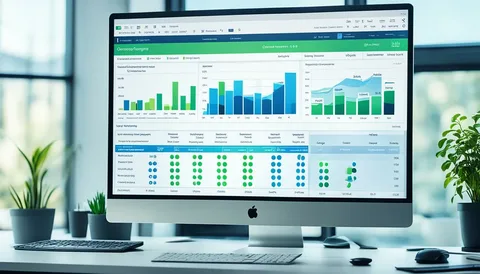
    Web Design Services: 7 Proven Ways to Build Better Websites

    A modern website is rarely built from a few simple files. A typical web project can involve logos, illustrations, photographs, videos, design mockups, brand guidelines, UI elements, presentations, client feedback, and multiple versions of the same page.

    As projects grow, managing all these assets can become surprisingly difficult.

    Files may be stored across personal computers, cloud drives, messaging apps, email threads, and different project folders. One designer may be working on an older version while another team member has already updated the design. A client may request a small change, but finding the correct file can take longer than making the change itself.

    This is why digital asset management has become an important part of modern web design services.

    Instead of treating file organization as a secondary task, creative teams can build a structured system that keeps their designs, media, and project resources accessible throughout the entire website development process.

    The Growing Complexity of Web Design Projects

    Website design has become much more than creating a homepage and a few internal pages.

    Modern projects often include:

    • Desktop and mobile layouts
    • UI and UX design files
    • Brand assets
    • Product images
    • Marketing graphics
    • Illustrations and icons
    • Video and animation files
    • Design prototypes
    • Client presentation materials
    • Website content
    • Development handoff files

    Each asset can go through several revisions before a project is completed.

    Without a clear system, creative teams can quickly end up with folders containing names such as:

    homepage-final.fig

    homepage-final-v2.fig

    homepage-final-new.fig

    homepage-final-approved.fig

    This may sound familiar to anyone who has worked on a large creative project.

    The problem is not necessarily the number of files. The real challenge is knowing which files matter, who can access them, and which version should be used.

    Why File Organization Affects Creative Work

     Web

    Designers are hired to solve visual and communication problems, not spend hours searching through folders.

    When digital assets are poorly organized, small administrative tasks begin to interrupt creative work.

    A designer may need to search through several locations to find a logo. A developer may wait for an updated design file. A marketing team may accidentally use an outdated image. A client may review an older version of a design.

    These interruptions can create unnecessary delays.

    A centralized workspace can reduce this friction by giving teams a consistent place to organize project files and creative assets.

    For teams providing web design services, this becomes particularly useful when several people are working on the same website.

    Version Control Helps Prevent Costly Mistakes

    One of the biggest challenges in creative projects is version confusion.

    Designs change frequently. A homepage might go through ten or twenty revisions before approval. If those versions are not clearly managed, team members may accidentally work from outdated files.

    Version control creates a clearer workflow.

    Instead of relying on filenames or remembering which file was sent in an email, teams can establish an organized system for project assets and revisions.

    This makes it easier to answer simple but important questions:

    • What is the latest design?
    • Which version was approved?
    • Has the client reviewed this file?
    • Which assets are ready for development?
    • Which files are still being edited?

    A structured approach can save time and reduce avoidable mistakes.

    Collaboration Becomes Easier When Assets Are Centralized

     Web

    Web design projects often involve more than designers.

    A typical project may include:

    • UI/UX designers
    • Graphic designers
    • Developers
    • Content writers
    • Marketing teams
    • Project managers
    • Clients
    • External stakeholders

    Each person may need access to different files.

    A centralized workspace allows teams to organize assets around projects instead of individual devices. This can make design collaboration easier because everyone has a clearer understanding of where important resources belong.

    Pocket Office’s website design environment is designed around centralized creative assets, shared workspaces, permissions, and collaboration for design teams.

    Access Matters for Remote Design Teams

    Creative work is no longer limited to a single studio.

    Designers may work from home, a coworking space, a client office, or another location. Teams may also be distributed across different cities or countries.

    This creates another challenge: creative assets need to remain accessible without forcing everyone to work from the same physical machine.

    A cloud-based workspace can provide a more flexible approach.

    Instead of transferring large files between devices or relying on one office computer, team members can access the resources they need through their workspace.

    This becomes especially useful for responsive web design projects where designers may need to review layouts across different devices and screen sizes.

    Creative Software Needs a Connected Workspace

    Web designers often rely on specialized digital design tools rather than a single application.

    A project may involve design, prototyping, image editing, presentation, and collaboration tools.

    Pocket Office supports web design services by integrating with platforms such as Adobe Creative Cloud, Figma, and Canva, alongside cloud storage tools.

    The goal is not necessarily to replace the tools designers already use.

    Instead, a connected creative workspace can help teams organize how those tools, files, and projects fit together.

    That distinction is important.

    Good workflow management should make creative software easier to use rather than add another layer of complexity.

    Permissions Are Important for Client Projects

    Not every person involved in a website project needs access to every file.

    For example, a client may need to review approved designs without accessing internal drafts. A developer may need final design assets but not confidential business documents. A freelance designer may need access to one project without seeing another client’s information.

    Permission-based access can help teams maintain better control over shared assets.

    It allows organizations to think about access according to roles and responsibilities rather than giving everyone access to everything.

    This is particularly valuable for agencies managing multiple clients at the same time.

    Better Asset Management Can Improve Client Experience

     Web

    Clients do not usually see the internal organization behind a website project.

    However, they experience the effects of it.

    When a design team can quickly find the correct file, respond to feedback, provide updated versions, and move approved assets into development, the overall project can feel more organized.

    A smoother internal workflow can therefore contribute to a smoother client experience.

    It also gives project managers greater visibility into where a project stands.

    Building a Better Workflow for Web Design Teams

    Digital asset management does not have to mean creating complicated systems.

    A practical web design workflow can start with a few simple principles:

    1. Create a Central Project Workspace

    Keep important website assets associated with the correct project rather than scattered across different locations.

    2. Establish Clear Naming Conventions

    Consistent file names make it easier to understand what a file contains and whether it is a draft, review version, or approved asset.

    3. Separate Working and Approved Assets

    Designers should be able to experiment without accidentally causing another team member to use an unfinished file.

    4. Define Access Levels

    Give team members access according to their responsibilities.

    5. Keep Client Feedback Organized

    Connect feedback with the relevant design or project rather than relying entirely on separate email conversations.

    6. Make Assets Accessible Across Devices

    A flexible workspace can help designers continue their work without being tied to one particular machine.

    The Future of Web Design Is Also About Better Workflows

    Technology continues to give designers more powerful creative tools. But having better tools does not automatically create a better workflow.

    As websites become more sophisticated, website design teams will continue to manage larger collections of files, more contributors, and more frequent revisions.

    The organizations that establish clear systems for managing these resources can spend less time searching, transferring, and organizing files—and more time creating useful digital experiences.

    For businesses offering website design services, this is an important shift. Web design is not only about what users see on the screen. It is also about the systems that help the people behind the screen create, review, organize, and deliver that experience.

    A well-structured creative workspace can become an important part of that process.

    Final Thoughts

    Great web design requires creativity, but creativity also needs the right environment.

    When files are organized, versions are clear, access is controlled, and digital design tools can work together, teams can spend more time designing and less time dealing with unnecessary workflow problems.

    As remote and distributed creative teams become more common, digital asset management, responsive web design workflows, centralized creative workspaces, and secure collaboration will continue to play an important role in how modern websites are created.

    Pocket Office brings these ideas together through a cloud-based workspace designed to help creative teams organize assets, collaborate, and access their work across devices.

    Get in Touch with Pocket Office

    Malaysia: +60 146600012
    USA: +60 146600012
    India: +91 9967940928
    Website: https://pocket-office.ai/

  • How Businesses Can Identify the Right AI Opportunities Before Investing

    How Businesses Can Identify the Right AI Opportunities Before Investing

    Artificial intelligence has quickly moved from being an emerging technology to becoming part of everyday business conversations.

    Companies are exploring AI for customer service, marketing, finance, operations, data analysis, document processing, and many other areas. However, adopting AI simply because it is popular does not necessarily solve a business problem.

    One of the most important questions for any organization is not “Where can we use AI?”

    It is:

    “Where can AI actually create useful business value?”

    This is where AI business consulting can play an important role.

    Rather than starting with a specific AI tool and trying to find a use for it, businesses can begin by understanding their existing processes, identifying repetitive or inefficient activities, and evaluating where AI could provide measurable improvements.

    Why Businesses Should Start With the Problem

    Technology decisions are often made too quickly.

    A company may see a new AI platform and immediately think about how it could be implemented. But the technology itself should not be the starting point.

    The starting point should be the business problem.

    For example, a company might have:

    • Employees spending hours processing documents
    • Customer service teams handling repetitive questions
    • Managers manually preparing reports
    • Large amounts of unstructured information
    • Delays caused by approval processes
    • Difficulty analyzing large volumes of business data

    These are business problems first and technology problems second.

    Once the problem is clearly understood, AI can be evaluated as one possible solution.

    What Is AI Business Consulting?

     Businesses

    AI business consulting involves helping organizations understand how artificial intelligence can be applied to business processes, operations, and decision-making.

    An AI consultant may help a business:

    • Identify potential AI use cases
    • Analyze existing workflows
    • Evaluate automation opportunities
    • Assess technology requirements
    • Consider implementation risks
    • Define business objectives
    • Measure potential benefits
    • Develop an AI adoption roadmap

    The objective is not necessarily to introduce AI everywhere.

    Instead, the goal is to determine where AI makes practical sense.

    1. Start by Mapping Existing Processes

    Before introducing AI, businesses should understand how work is currently being done.

    A process may involve several employees, applications, approval steps, spreadsheets, emails, and manual tasks.

    For example, consider a simple reporting process:

    Collect data → Clean information → Prepare report → Review → Approve → Distribute

    If employees spend significant time manually completing these steps every week, the process may contain opportunities for automation or AI assistance.

    Process mapping helps businesses understand where time is being spent and where bottlenecks occur.

    2. Identify Repetitive Work

    Not every business activity is suitable for AI.

    Tasks that are repetitive, rules-based, or heavily dependent on processing large amounts of information may be more suitable for automation.

    Examples can include:

    • Sorting incoming requests
    • Categorizing documents
    • Summarizing information
    • Extracting data from documents
    • Generating routine reports
    • Classifying customer inquiries
    • Organizing large datasets

    Identifying these tasks can help businesses create a realistic list of potential AI opportunities.

    3. Separate Automation From AI

    Automation and AI are related, but they are not exactly the same.

    Traditional automation generally follows predefined rules.

    For example:

    If an invoice arrives → save it in a specific folder.

    AI can handle more complex tasks involving interpretation or pattern recognition.

    For example:

    Analyze an invoice → identify important information → classify the document → flag unusual items.

    Understanding this difference can help businesses avoid using AI where simple automation would be sufficient.

    Sometimes the best solution is not the most advanced technology.

    4. Consider the Quality of Business Data

    AI systems depend heavily on data.

    If business information is incomplete, inconsistent, outdated, or poorly organized, an AI implementation may produce unreliable results.

    Before investing in an AI system, businesses should consider:

    • Where is the data stored?
    • Is the information accurate?
    • Is it structured?
    • Who has access to it?
    • How frequently is it updated?
    • Are there duplicate records?
    • Are there privacy restrictions?

    Good data management therefore becomes an important foundation for successful AI adoption.

    5. Evaluate the Human Role

    AI does not automatically mean removing people from a process.

    In many business applications, AI is more useful when it supports employees rather than completely replacing them.

    For example, AI could summarize a large document, while an employee reviews the summary before using it.

    Similarly, AI might categorize customer requests, while a support specialist handles complex cases.

    This approach allows businesses to combine machine efficiency with human judgment.

    6. Look at the Potential Return on Investment

    AI projects require investment.

    Businesses may need to spend money on software, infrastructure, integration, training, data preparation, and ongoing management.

    This means organizations should consider the potential return before moving forward.

    Possible benefits may include:

    • Reduced processing time
    • Lower administrative workload
    • Faster customer responses
    • Improved data analysis
    • Fewer repetitive manual tasks
    • Better resource allocation
    • Improved operational consistency

    The exact benefits will vary depending on the business and the use case.

    A useful AI strategy therefore connects technology investment with measurable business objectives.

    7. Think About Risk Before Implementation

    AI can introduce new risks alongside its potential benefits.

    Businesses may need to consider:

    • Data privacy
    • Security
    • Incorrect outputs
    • Compliance requirements
    • Access control
    • Intellectual property
    • Human oversight
    • Vendor dependency

    For example, an AI tool processing confidential business documents may require stronger access controls than a general-purpose tool used for brainstorming.

    Risk assessment should therefore be part of the planning process rather than something considered after implementation.

    8. Choose the Right AI Use Case

     Businesses

    Businesses often have dozens of potential AI ideas.

    The challenge is determining which ones are worth exploring first.

    A practical evaluation can consider several questions:

    Business impact:
    Could solving this problem create meaningful value?

    Feasibility:
    Can the organization realistically implement the solution?

    Data availability:
    Does the required information exist and have sufficient quality?

    Risk:
    Could mistakes create significant financial, legal, operational, or reputational problems?

    Scalability:
    Could the solution eventually support a larger part of the organization?

    Looking at these factors together can help businesses make more informed technology decisions.

    9. Keep Client and Project Information Organized

    AI consulting can involve multiple clients, projects, documents, reports, and recommendations.

    Keeping these resources separated is important, particularly for consulting organizations working with confidential client information.

    Pocket Office’s AI consulting environment uses client-specific workspaces, allowing documents, data, and discussions to remain separated between engagements. It also supports granular file-sharing permissions and optional expiry for shared access.

    This type of organization can be useful when consulting teams need to move between different client projects while maintaining clear boundaries between engagements.

    10. Connect AI Planning With Existing Business Tools

    AI does not operate in isolation.

    Businesses already use project management, CRM, communication, and productivity tools.

    An AI strategy therefore needs to consider how potential solutions fit into the existing technology environment.

    For consulting workflows, Pocket Office supports integrations with platforms including Salesforce, Asana, Trello, and Slack, helping teams connect client management, projects, communication, and documentation.

    The broader lesson is important: successful AI adoption often depends on how well new capabilities fit into existing business processes.

    Common Mistakes Businesses Make With AI

    AI adoption can become unnecessarily complicated when organizations focus too heavily on technology.

    Some common mistakes include:

    Adopting AI Without a Clear Objective

    Using AI simply because competitors are using it can lead to unnecessary spending.

    Automating a Broken Process

    If an existing workflow is inefficient, automating it without fixing the underlying problem may simply make the inefficient process faster.

    Ignoring Data Quality

    Poor data can undermine an otherwise promising AI project.

    Forgetting Human Oversight

    Some processes require human review, especially when decisions have significant consequences.

    Trying to Implement Everything at Once

    Starting with too many AI projects can make implementation difficult to manage.

    A focused approach can make it easier to test, measure, and improve individual use cases.

    A Practical AI Adoption Process

    Businesses can approach AI adoption through a series of steps:

    1. Identify the business challenge

    Understand what needs to improve.

    2. Map the current process

    Document how the work is currently performed.

    3. Identify repetitive or information-heavy tasks

    Look for areas where AI or automation may provide value.

    4. Assess data and technology requirements

    Determine whether the necessary information and infrastructure are available.

    5. Evaluate risks

    Consider privacy, security, accuracy, compliance, and human oversight.

    6. Estimate potential business value

    Consider time savings, efficiency, service improvements, and other measurable outcomes.

    7. Test a focused use case

    Start with a manageable application rather than attempting an organization-wide transformation immediately.

    8. Measure the results

    Compare the results against the original business objective.

    9. Expand carefully

    Successful use cases can then be adapted to other areas of the organization.

    AI Consulting Is About Business Strategy, Not Just Technology

    One of the biggest misconceptions about AI is that successful adoption is mainly about choosing the right software.

    Technology is certainly important, but businesses also need to understand their processes, employees, customers, data, risks, and objectives.

    This is why AI consulting can extend beyond technical implementation.

    A business may need help answering questions such as:

    • Which processes should be considered first?
    • What information is required?
    • Where should human oversight remain?
    • How should success be measured?
    • What risks need to be addressed?
    • How can AI fit into existing workflows?

    These questions are ultimately business questions.

    The Future of AI in Business

    AI adoption is likely to continue expanding across industries.

    However, the organizations that use AI effectively will not necessarily be the ones that adopt the greatest number of tools.

    A more sustainable approach is to identify genuine business problems and then determine whether AI can solve them effectively.

    This means future AI strategies are likely to focus increasingly on:

    • Practical use cases
    • Data quality
    • Workflow integration
    • Security
    • Human-AI collaboration
    • Measurable outcomes
    • Responsible implementation

    AI is becoming a business capability rather than simply an experimental technology.

    Final Thoughts

    Artificial intelligence can create significant opportunities for businesses, but successful adoption starts with understanding the problem rather than choosing a technology first.

    By mapping workflows, identifying repetitive activities, evaluating data, considering risks, and measuring potential business value, organizations can make more informed decisions about where AI belongs in their operations.

    AI business consulting can provide a structured way to examine these opportunities and connect AI initiatives with broader business objectives.

    For consulting teams managing multiple client engagements, Pocket Office’s AI Business Consulting solution provides client-specific workspaces, controlled file sharing, project organization, and integrations designed to support consulting workflows.

    Get in Touch with Pocket Office

    Malaysia: +60 146600012
    USA: +60 146600012
    India: +91 9967940928
    Website: https://pocket-office.ai/

  • How Digital Workspaces Are Changing the Way Businesses Work

    How Digital Workspaces Are Changing the Way Businesses Work

    The modern workplace looks very different from what it did a few years ago.

    Employees may work from offices, homes, coworking spaces, client locations, or while travelling. Teams can be spread across different cities and time zones, while the files and applications they use are often stored across several different platforms.

    This flexibility has created new opportunities for businesses, but it has also introduced a practical challenge:

    How can employees access the information and tools they need without constantly switching between devices, applications, and storage platforms?

    This is where the idea of a digital workspace becomes increasingly important.

    A digital workspace brings the tools, files, applications, and resources employees need into a more connected working environment. Instead of thinking about work as something tied to a particular computer or office, businesses can create an environment that moves with the employee.

    What Is a Digital Workspace?

    A digital workspace is a technology environment that gives employees access to the digital resources they need to perform their work.

    Depending on the organization, this may include:

    • Business applications
    • Documents and files
    • Cloud storage
    • Communication tools
    • Collaboration platforms
    • Internal systems
    • Project resources
    • Work-related data

    The idea is not necessarily to replace every tool a company already uses. Instead, a digital workspace can provide a more organized way to access and manage those resources.

    For modern organizations, this can be especially useful when employees and information are distributed across different locations.

    Why Traditional Work Environments Are Becoming More Difficult to Manage

     Digital

    For many years, business computing was relatively straightforward.

    An employee received a computer, applications were installed on it, files were stored locally or on a company server, and most employees worked from the same office.

    That model becomes harder to maintain when teams become distributed.

    Employees may now use different laptops, operating systems, cloud storage providers, and applications.

    As a result, businesses may have to manage:

    • Multiple devices
    • Different software environments
    • Several cloud storage accounts
    • Remote access
    • User permissions
    • Data security
    • File sharing
    • Application access

    The more disconnected these systems become, the more effort employees may spend managing technology instead of doing their actual work.

    1. A Digital Workspace Can Bring Work Into One Environment

    One of the main ideas behind a digital workspace is consolidation.

    Instead of opening several unrelated applications and websites throughout the day, employees can access important resources from a more unified environment.

    For example, a team member might need to:

    1. Open a business application.
    2. Find a project document.
    3. Check a shared folder.
    4. Review a communication message.
    5. Update a report.

    A unified workspace can make these activities easier to manage by reducing unnecessary movement between systems.

    Pocket Office describes its platform as a browser-based workspace that brings files, applications, and teams together in one environment.

    2. Remote Work Needs More Than Communication Tools

    Remote work is often associated with video conferencing and messaging applications.

    Those tools are useful, but they are only one part of remote work.

    Employees also need access to:

    • Documents
    • Applications
    • Shared folders
    • Business systems
    • Project information
    • Company resources

    If these resources are scattered across different systems, employees may still struggle to work efficiently even if communication is easy.

    A digital workspace addresses the broader working environment rather than focusing only on communication.

    3. Cloud Desktops Make Work Less Dependent on a Device

    A cloud desktop takes the idea of a traditional computer environment and moves it into the cloud.

    Instead of depending entirely on one physical computer, employees can access their working environment through supported devices and a browser.

    This can be useful when employees frequently change locations or devices.

    For example, an employee might begin working from a company office and later continue from home. A browser-based workspace can provide continuity without requiring the employee to recreate the entire working environment.

    Pocket Office states that its cloud desktop runs through a browser and is designed to avoid device lock-in.

    4. File Management Becomes More Important as Teams Grow

    As a company grows, the number of files it creates also grows.

    Documents, presentations, spreadsheets, images, reports, contracts, project files, and other resources can quickly become difficult to organize.

    The problem is often not storage capacity.

    The bigger problem is finding the right information and controlling who can access it.

    A modern digital workspace can provide structured file management with permissions.

    For example, different employees can have different levels of access depending on their responsibilities.

    This can help organizations maintain better control while still allowing teams to collaborate.

    5. Businesses Do Not Always Need to Replace Existing Storage

    Many organizations already use cloud storage services.

    A company might have files stored across Google Drive, OneDrive, Dropbox, Amazon S3, or private storage infrastructure.

    Moving everything into a completely new system may not always be practical.

    An alternative approach is to connect existing storage to a unified workspace.

    Pocket Office supports several storage providers and states that existing storage architecture can remain unchanged while users access those resources through its workspace.

    This type of approach can be useful for organizations that want a more unified working experience without completely rebuilding their existing storage infrastructure.

    6. Collaboration Requires Shared Access

    Modern projects rarely belong to one person.

    A marketing campaign might involve writers, designers, managers, and sales teams. A software project may involve developers, testers, project managers, and technical writers.

    Each person may need access to different information.

    Shared workspaces and team permissions can help organizations create a more structured environment for collaboration.

    Instead of repeatedly sending files through email, teams can work around shared resources while maintaining appropriate access controls.

    7. Security Needs to Be Part of the Workspace

     Digital

    Convenience is important, but businesses also need to think about security.

    Employees may handle sensitive information such as:

    • Customer data
    • Financial documents
    • Contracts
    • Business plans
    • Employee information
    • Technical documentation
    • Internal reports

    A digital workspace should therefore provide appropriate access controls.

    Role-based access can help organizations determine what different users can view or manage.

    Other security-related capabilities may include data protection, activity tracking, and backup and recovery.

    Pocket Office lists role-based access, backup and recovery, and secure data protection among its security capabilities.

    8. Digital Workspaces Can Support Different Types of Teams

    Not every business has the same working model.

    A digital workspace can be relevant to:

    Remote Teams

    Employees working from different locations can access shared resources without depending entirely on a physical office.

    Startups

    Growing companies can create structured digital environments without necessarily building large on-premises infrastructure.

    Enterprises

    Larger organizations can use centralized workspaces to support distributed departments and manage access across teams.

    Freelancers

    Independent professionals can organize files, applications, and projects within a consistent working environment.

    The specific requirements will differ, but the underlying need is similar: access to work resources without unnecessary complexity.

    9. Digital Workspaces Can Help Reduce Context Switching

    Context switching happens when employees repeatedly move between unrelated tasks, applications, and environments.

    For example, someone may have one browser tab for cloud storage, another for a business application, another for communication, and another for a project management system.

    Individually, these tools may be useful.

    The problem is the constant movement between them.

    A unified desktop-style environment can reduce some of this friction by providing a central place for files, applications, and work resources.

    Pocket Office includes features such as window-based multitasking, an application launcher, drag-and-drop functionality, and keyboard shortcuts to create a desktop-style experience in the cloud.

    10. The Importance of a Consistent Employee Experience

     Digital

    Technology can become complicated when every employee works in a completely different environment.

    One person may store files locally. Another may use cloud storage. Someone else may have different applications installed.

    A consistent digital workspace can help standardize how employees access business resources.

    This can be particularly useful when onboarding new employees.

    Instead of explaining dozens of separate systems, organizations can provide a structured working environment where employees can find the tools and resources relevant to their role.

    Digital Workspace vs. Cloud Storage

    These two concepts are sometimes confused.

    Cloud storage is primarily designed to store and access files.

    A digital workspace is broader.

    It can bring together files, applications, collaboration tools, permissions, and other work resources.

    A simple way to think about it is:

    Cloud storage = where your files are kept.

    Digital workspace = where you work with your files and tools.

    Both can be useful, but they solve different parts of the modern workplace challenge.

    What Should Businesses Consider When Choosing a Digital Workspace?

    There is no single solution that fits every organization.

    Businesses should consider their actual working requirements before choosing a platform.

    Accessibility

    Can employees access the workspace from the locations and devices they normally use?

    File Management

    Can teams organize files and control access effectively?

    Collaboration

    Can multiple users work together without unnecessary file duplication?

    Integration

    Can the workspace connect to the storage and applications the business already uses?

    Security

    Are appropriate permissions, access controls, and recovery capabilities available?

    Scalability

    Can the workspace grow as the company adds employees, departments, and data?

    Usability

    Can employees understand the environment without extensive training?

    These questions are often more useful than simply comparing the number of features offered by different platforms.

    The Future of the Digital Workplace

    The future workplace is unlikely to be defined by a single physical location.

    Employees will continue to move between offices, homes, client sites, and other environments. At the same time, companies will continue adopting cloud applications and distributed storage systems.

    This means businesses will need technology that can connect people with their digital work environment regardless of where they are.

    The concept of the cloud desktop is one response to this change.

    Rather than treating the physical computer as the center of work, the digital workspace becomes the center.

    Final Thoughts

    The modern workplace has become more flexible, but flexibility can also create complexity.

    Employees need access to files, applications, cloud storage, and collaboration tools from different locations and devices. Businesses, meanwhile, need to maintain control over information, permissions, and security.

    A well-designed digital workspace can help bridge these requirements.

    Cloud desktops, centralized file management, shared workspaces, role-based access, and cloud storage integrations are all part of a broader shift toward more connected ways of working.

    For organizations exploring this approach, Pocket Office provides a browser-based cloud desktop designed to bring files, applications, and teams together in one workspace.

    Get in Touch with Pocket Office

    Malaysia: +60 146600012
    USA: +60 146600012
    India: +91 9967940928
    Website: https://pocket-office.ai/

  • How Business Process Outsourcing Is Changing the Way Modern Teams Work

    How Business Process Outsourcing Is Changing the Way Modern Teams Work

    Businesses today are under constant pressure to operate efficiently while continuing to deliver reliable service to customers. As companies grow, managing every business activity internally can become increasingly difficult.

    Customer support, data processing, administrative work, technical support, finance operations, and other repetitive processes can require significant time, people, and resources.

    This is one reason business process outsourcing (BPO) has become an important part of modern business operations.

    BPO allows companies to work with external service providers for specific business processes while their internal teams focus on core activities. However, successful outsourcing involves more than simply handing a process to another company. Businesses also need effective communication, performance tracking, documentation, security, and collaboration between internal and external teams.

    Technology is helping make that coordination easier.

    What Is Business Process Outsourcing?

    Business process outsourcing is the practice of engaging an external organization to handle specific business functions or processes.

    Depending on the organization, outsourced activities may include:

    • Customer support
    • Technical support
    • Data processing
    • Administrative services
    • Back-office operations
    • Finance and accounting support
    • Human resources processes
    • IT support
    • Customer service operations

    The purpose is often to access specialized resources, support scalability, manage operational workloads, or allow internal employees to concentrate on higher-priority activities.

    BPO can involve offshore, nearshore, or onshore teams, depending on the business requirements.

    Why Businesses Use BPO Services

    Business Process

    As organizations grow, their operational requirements also grow.

    A company may suddenly need customer support outside normal business hours, additional administrative capacity, or specialized teams for a new market.

    Hiring and managing all of these resources internally may not always be practical.

    Business process outsourcing services can provide additional operational capacity without requiring the company to build every function from the ground up.

    However, outsourcing also introduces a new challenge: how do internal and external teams stay coordinated?

    1. Keeping Internal and Outsourced Teams Connected

    A BPO relationship may involve employees working from different offices, cities, or countries.

    An internal manager may be located at the company’s headquarters, while an outsourced support team could be operating from another region.

    If information is spread across emails, spreadsheets, chat applications, and disconnected systems, communication can become difficult.

    A centralized workspace can give internal and outsourced teams a shared environment for workflows, documentation, performance information, and collaboration.

    This helps make outsourcing feel more like an integrated part of the business rather than a completely separate operation.

    2. Creating a Centralized Operations Hub

    One of the biggest challenges in outsourcing is maintaining visibility.

    Management may need to understand:

    • What work is currently being handled?
    • How many customer requests are open?
    • How quickly are tickets being resolved?
    • Are service levels being maintained?
    • Are productivity targets being achieved?
    • Are compliance requirements being followed?

    A centralized operations hub can bring important performance information together.

    Pocket Office’s BPO solution is designed around this concept, providing visibility into outsourced functions through KPIs, service levels, compliance metrics, and reporting within a unified environment.

    3. Tracking Performance in Real Time

    Outsourcing works best when performance can be measured clearly.

    Businesses may track metrics such as:

    • Ticket volume
    • Response times
    • Resolution times
    • Customer interactions
    • Turnaround times
    • Productivity
    • Service levels

    Without reliable performance information, it can be difficult to identify where improvements are needed.

    Real-time performance tracking allows managers to monitor operational activity more consistently and identify issues before they become larger problems.

    4. Managing Distributed Workforces

    Modern BPO operations are often geographically distributed.

    A business may have:

    Head Office → Regional Team → BPO Provider → Customer Support Team

    Each group may work from a different location.

    This makes coordination particularly important.

    Technology can provide a shared environment where offshore, nearshore, and onshore teams can access relevant information and collaborate around common workflows.

    Pocket Office specifically supports multi-location workforce coordination across offshore, nearshore, and onshore teams.

    5. Improving Customer Service Operations

    Customer service is one of the most common areas associated with BPO.

    Customer support teams may need to manage large numbers of tickets and customer interactions every day.

    If information is not organized properly, customers may experience delays or inconsistent responses.

    Customer service platforms can help teams manage tickets and interactions, while a centralized workspace can provide supporting documentation and workflow visibility.

    Pocket Office integrates with customer service platforms such as Zendesk, Freshdesk, and Salesforce Service Cloud, helping connect support workflows with documentation and broader business processes.

    6. Making Documentation Easier to Manage

    Documentation is often overlooked when discussing BPO.

    But outsourced teams may need access to:

    • Process guidelines
    • Customer information
    • Service procedures
    • Training materials
    • Internal policies
    • Product documentation
    • Compliance information

    If these resources are stored in different locations, employees may waste time searching for the information they need.

    A centralized digital workspace can help keep important documentation organized and accessible to authorized users.

    This is particularly useful when multiple teams need to follow the same processes.

    7. Supporting AI Business Process Automation

    Business Process

    Artificial intelligence is increasingly being introduced into business operations.

    AI business process automation can help organizations handle repetitive tasks, analyze information, and support workflow management.

    For example, AI may assist with:

    • Ticket classification
    • Document processing
    • Data organization
    • Customer service workflows
    • Repetitive administrative tasks
    • Information retrieval

    AI does not necessarily replace the human teams involved in these processes.

    Instead, it can be used to reduce repetitive work and help employees focus on tasks that require communication, judgment, and problem-solving.

    Pocket Office identifies AI business process automation as part of its BPO workflow integration approach.

    8. Maintaining Security Across Outsourced Operations

    Outsourcing can involve sharing important business information with external teams.

    This makes access management an important consideration.

    Businesses may need to control access to:

    • Customer records
    • Internal documents
    • Business reports
    • Operational systems
    • Financial information
    • Support information

    Role-based permissions can help organizations provide users with access appropriate to their responsibilities.

    A secure cloud workspace can also help businesses manage access while supporting collaboration between internal and external teams.

    9. Supporting Remote and Hybrid BPO Teams

    BPO teams do not necessarily need to work from a single physical location.

    Employees may work from offices, remote locations, or shared service centers.

    Cloud-based workspaces can help provide a consistent digital environment across these locations.

    Pocket Office uses a Desktop as a Service (DaaS) model, centralizing work environments in the cloud to support access, collaboration, security, and remote or hybrid workforces.

    10. Making BPO More Scalable

    One of the reasons organizations consider outsourcing is the ability to scale operations.

    For example, a business may experience:

    • Seasonal increases in customer demand
    • Expansion into a new market
    • Growth in customer support requirements
    • New product launches
    • Increased administrative workloads

    A scalable outsourcing model can help businesses respond to these changes without immediately rebuilding their entire internal workforce.

    Technology can support this scalability by providing a consistent environment for managing teams, processes, documentation, and performance.

    What Should Businesses Look for in BPO Technology?

    Choosing a BPO platform or supporting technology requires more than looking at the number of features available.

    Businesses should consider whether the technology actually fits their workflow.

    Centralized Operations

    Can internal and outsourced teams access relevant information from one organized environment?

    Performance Tracking

    Can managers monitor KPIs, service levels, productivity, and turnaround times?

    Workforce Support

    Can the platform support teams working across different locations?

    Integration

    Can it connect with existing customer service and business applications?

    Security

    Can organizations control access to sensitive business information?

    Scalability

    Can the environment support additional users, teams, and processes as the business grows?

    Automation

    Can repetitive workflows be improved through automation or AI?

    These questions can help businesses evaluate whether a technology solution can support their outsourcing strategy.

    BPO Is About More Than Cost Reduction

    Business process outsourcing is sometimes viewed mainly as a way to reduce operating costs.

    Cost can certainly be an important consideration, but modern BPO is broader than that.

    Businesses may also use outsourcing to access specialized expertise, extend service availability, support new markets, increase operational capacity, and improve flexibility.

    The real value depends on how well the outsourced process is managed.

    Clear communication, measurable performance, reliable documentation, secure access, and effective collaboration are all important parts of a successful outsourcing relationship.

    The Future of Business Process Outsourcing

    BPO is evolving alongside cloud computing, automation, artificial intelligence, and distributed work.

    Future outsourcing environments are likely to involve increasingly connected teams and digital workflows.

    Instead of simply transferring a business process to an external provider, companies can create connected operating environments where internal teams, external partners, software platforms, and automated workflows work together.

    This can make outsourcing more transparent and easier to manage.

    The technology will continue to change, but the fundamental requirement will remain the same:

    People need access to the right information, processes need to be measurable, and teams need to stay connected.

    Final Thoughts

    Business process outsourcing can give organizations additional flexibility and operational capacity, but successful outsourcing requires more than hiring an external team.

    Businesses need visibility into performance, clear workflows, organized documentation, secure access, and effective communication between internal and external teams.

    Modern business process outsourcing services are increasingly supported by centralized cloud environments, real-time performance tracking, workflow integrations, and AI business process automation.

    For organizations looking to create a more connected approach to outsourcing, Pocket Office’s Business Process Outsourcing solution provides a centralized environment for BPO teams, performance monitoring, documentation, collaboration, and distributed workforce management.

    Get in Touch with Pocket Office

    Malaysia: +60 146600012
    USA: +60 146600012
    India: +91 9967940928
    Website: https://pocket-office.ai/

  • Why Cloud Desktop Technology Is Changing the Way Modern Teams Work

    Why Cloud Desktop Technology Is Changing the Way Modern Teams Work

    The way people work has changed significantly.

    Employees no longer work from one computer in one office every day. Teams may be spread across different cities, countries, offices, and home environments. Businesses also rely on an increasing number of applications, cloud storage platforms, communication tools, and digital files.

    While technology has made work more flexible, it has also created a new challenge: how do businesses keep everything organized when people and tools are spread across different environments?

    This is one reason cloud desktop technology is becoming increasingly relevant to modern businesses.

    Instead of depending entirely on a physical computer, a cloud desktop provides access to a digital working environment through the internet. Employees can access their workspace, files, applications, and business resources without being tied to a particular device.

    What Is a Cloud Desktop?

    A cloud desktop is a virtual desktop environment hosted in the cloud rather than being completely dependent on a user’s physical computer.

    From the employee’s perspective, it can work much like a traditional desktop. Users can manage files, open applications, switch between tasks, and access their work environment.

    The major difference is where the working environment is hosted.

    Instead of everything being stored and managed locally on one device, the desktop environment can be accessed through a browser or supported device.

    This makes the concept particularly useful for organizations with remote, hybrid, distributed, or multi-location teams.

    Why Traditional Desktop Environments Can Become Challenging

    Cloud

    Traditional computers are still useful, but managing large numbers of devices can become complicated.

    A business may have hundreds of employees using different laptops and desktops. IT teams then need to think about:

    • Device configuration
    • Software installation
    • Updates
    • File storage
    • Security
    • Access permissions
    • Backup
    • Hardware replacement
    • Remote support

    When employees work from different locations, these responsibilities can become even more difficult.

    A cloud-based workspace can shift some of this complexity away from individual devices and toward a centrally managed environment.

    1. Work From Almost Anywhere

    One of the biggest benefits of a cloud desktop is accessibility.

    Employees may need to work from:

    • Offices
    • Homes
    • Client locations
    • Business trips
    • Coworking spaces
    • Different company branches

    A browser-based workspace allows authorized users to access their working environment without being permanently tied to one physical computer.

    Pocket Office describes its platform as a browser-based workspace designed to bring files, applications, and teams into one unified environment.

    2. Bringing Files and Applications Together

    Modern employees rarely use just one application.

    A typical workday may involve email, documents, spreadsheets, project management tools, communication platforms, cloud storage, and industry-specific applications.

    Moving between multiple platforms can create unnecessary friction.

    A unified cloud workspace can provide a central place where employees access their files and applications.

    This can make everyday work feel more organized, particularly for employees who regularly switch between different tools.

    3. Making Remote Work More Practical

    Remote work requires more than video meetings.

    Employees need reliable access to documents, applications, shared folders, business systems, and communication tools.

    If these resources are spread across different systems, remote employees may spend unnecessary time finding files or requesting access.

    A cloud desktop can provide a consistent digital working environment regardless of where an employee is physically located.

    This is especially useful for businesses with distributed teams.

    4. Supporting Hybrid Teams

    Hybrid work creates another challenge.

    Some employees may work from the office while others work remotely. Team members may also switch between locations during the week.

    A device-independent workspace can help provide greater consistency.

    Employees can access the same working environment without having to recreate their setup every time they change locations.

    This can be particularly helpful for businesses that want flexibility without completely redesigning their internal workflows.

    5. Managing Files With Greater Control

    File management becomes increasingly important as businesses grow.

    Companies can accumulate thousands or even millions of documents, images, reports, presentations, and other files.

    Simply storing these files is not enough. Businesses also need to control who can view, edit, or share them.

    Modern cloud workspaces can provide permission-based file management.

    Pocket Office, for example, includes file management with flexible permissions that allow organizations to control who can view, edit, or share files.

    6. Connecting Existing Cloud Storage

    Cloud

    Businesses do not necessarily want to move all their existing data to a completely new platform.

    They may already use services such as Google Drive, OneDrive, Dropbox, Amazon S3, or other enterprise storage systems.

    A useful cloud workspace should therefore work alongside existing storage infrastructure.

    Pocket Office supports integrations with several cloud and enterprise storage providers, including Amazon S3, Alibaba OSS, Tencent COS, Google Drive, OneDrive, Dropbox, and MinIO. Its website also states that existing storage architecture can remain unchanged.

    This approach can make adoption easier because organizations do not necessarily need to rebuild their entire storage environment.

    7. Improving Team Collaboration

    Work today is highly collaborative.

    A document may be created by one employee, reviewed by another, approved by a manager, and shared with a customer or another department.

    When files are exchanged through long email chains, it can become difficult to determine which version is current.

    Shared workspaces and real-time file sharing can provide a more structured way for teams to work together.

    Features such as shared workspaces, team permissions, and activity tracking can also help organizations maintain better visibility over collaborative work.

    8. Security Matters as Much as Accessibility

    Convenience should not come at the expense of security.

    Businesses handle sensitive information every day, including customer documents, financial records, employee information, business plans, contracts, and internal files.

    A cloud desktop environment should therefore include appropriate access controls and security measures.

    Role-based access, controlled file permissions, secure data protection, and backup and recovery capabilities can help businesses establish a more structured approach to protecting information.

    9. Supporting Different Types of Businesses

    Cloud desktops are not limited to one particular industry.

    They can be useful for organizations with different working models, including:

    • Remote teams
    • Startups
    • Enterprises
    • Freelancers
    • Educational organizations
    • Healthcare teams
    • Finance and legal departments
    • IT and software teams

    The specific use case may differ, but the underlying requirement is similar: employees need reliable access to their digital work environment.

    Pocket Office currently positions its cloud desktop across several industry and team types, including education, healthcare, finance and legal, IT and software, remote teams, startups, enterprises, and freelancers.

    10. Reducing Dependence on Individual Devices

    A common problem with traditional work environments is device dependence.

    If an employee’s entire working environment exists on one laptop and that laptop fails, work can be disrupted.

    A cloud-based environment can reduce the extent to which the user’s work depends on one physical device.

    Employees can access their digital workspace from another supported device, subject to the organization’s security and access policies.

    This can provide additional flexibility when devices are lost, damaged, replaced, or unavailable.

    Cloud Desktop vs. Cloud Storage

    Cloud desktop and cloud storage are related, but they are not the same thing.

    Cloud storage primarily focuses on storing and accessing files.

    A cloud desktop provides a broader working environment that can include files, applications, multitasking, workspace management, and collaboration.

    Think of cloud storage as a place to keep your files.

    A cloud desktop is closer to a complete digital workspace where you can work with those files and other business tools.

    This distinction becomes important for organizations looking for more than simply online file storage.

    What Should Businesses Look for in a Cloud Desktop?

    Before choosing a platform, businesses should consider how it fits into their existing environment.

    Browser Accessibility

    Can employees access the workspace without depending on a particular physical device?

    File Management

    Can administrators control file access and permissions?

    Collaboration

    Does the platform support shared workspaces and file sharing?

    Security

    Are access controls, data protection, and recovery features available?

    Existing Storage

    Can the solution connect with the cloud storage platforms the organization already uses?

    Application Access

    Can employees access the applications and tools they need within their working environment?

    Scalability

    Can the platform support the organization as the number of users and teams grows?

    These questions can help businesses evaluate whether a cloud desktop solution is appropriate for their working model.

    The Future of Digital Workspaces

    The workplace is becoming increasingly device-independent.

    Employees expect to be able to work from different locations without losing access to important files and tools. At the same time, businesses need greater control over data, permissions, and digital resources.

    Cloud desktop technology sits at the intersection of these two requirements.

    It combines accessibility with centralized workspace management.

    The future of work may not be defined by where an employee’s computer is located. Instead, it may increasingly be defined by the digital workspace they can securely access.

    Final Thoughts

    Modern businesses need more flexibility than traditional desktop environments can always provide.

    As teams become more distributed, employees need access to files, applications, and collaboration tools from different locations and devices.

    A cloud desktop can provide a centralized digital environment that supports this way of working while helping businesses manage files, permissions, collaboration, and existing storage systems.

    For organizations exploring a more flexible approach to digital work, Pocket Office’s cloud desktop platform provides a browser-based workspace designed to bring files, applications, and teams together in one environment.

    Get in Touch with Pocket Office

    Malaysia: +60 146600012
    USA: +60 146600012
    India: +91 9967940928
    Website: https://pocket-office.ai/

  • How Retail Management Software Is Changing Modern Retail Operations

    How Retail Management Software Is Changing Modern Retail Operations

    Retail has changed significantly in recent years. Customers can discover products online, visit physical stores, compare prices on their phones, and expect a consistent experience across every channel.

    Behind this changing customer experience is a much more complicated operation.

    Retail businesses need to manage inventory, product information, promotions, marketing materials, sales data, operational documents, warehouses, stores, and employees. When these areas are managed through disconnected systems, keeping everyone aligned can become difficult.

    This is where retail management software can help.

    Modern retail businesses are increasingly using digital platforms to centralize information, coordinate teams, improve inventory visibility, and support operations across multiple locations.

    What Is Retail Management Software?

    Retail management software is designed to help businesses organize and manage important retail operations from a centralized digital environment.

    Depending on the business, it can help teams work with:

    • Inventory information
    • Product data
    • Marketing assets
    • Business reports
    • Operational documents
    • Store information
    • Promotions
    • Team workflows
    • Ecommerce information

    The purpose is not simply to move retail operations online. It is to make important information easier to access and help different teams work from a more organized source of information.

    Why Retail Businesses Need Better Information Management

    Management

    A growing retail company may have several stores, a warehouse, an ecommerce website, and a central office.

    Each location may need access to different information.

    For example, a store manager may need current stock information, while the marketing team needs promotional assets and the warehouse team needs inventory data.

    If these teams work from different spreadsheets, folders, and systems, information can quickly become outdated.

    This can lead to questions such as:

    • Is this inventory number current?
    • Which promotion is active?
    • Where is the latest product information?
    • Which document is the approved version?
    • Does the warehouse have the same information as the store?

    A centralized retail workspace can help reduce this type of confusion.

    1. Improving Inventory Visibility

    Inventory is one of the most important parts of retail operations.

    Too much stock can increase storage costs, while too little stock can result in missed sales and frustrated customers.

    Retail management software can help teams maintain better visibility into inventory information and stock updates.

    When teams can access current information, they can coordinate more effectively between stores, warehouses, and headquarters.

    The objective is not simply to display numbers. It is to make inventory information available to the people who need it when they need it.

    2. Keeping Teams Updated in Real Time

    Retail environments change constantly.

    Stock levels can change throughout the day. Promotions can be updated. Products can be added or removed. Marketing campaigns can change according to customer demand.

    Working with outdated information can create unnecessary problems.

    Modern retail business software can support real-time updates so teams can work from more current information.

    This is especially useful for businesses operating across multiple locations, where information needs to move quickly between stores, warehouses, and headquarters.

    3. Connecting Stores, Warehouses, and Headquarters

    Management

    Multi-location retail businesses face a simple but important challenge: keeping everyone connected.

    A business might have:

    • Multiple retail stores
    • Regional warehouses
    • An ecommerce operation
    • A central office
    • Marketing teams
    • Purchasing teams
    • Customer service teams

    Each group contributes to the same overall retail operation.

    Ecommerce management software and centralized cloud workspaces can help different teams coordinate information across these locations.

    Instead of treating each location as an isolated operation, businesses can create a more connected working environment.

    4. Managing Marketing Assets More Efficiently

    Retail businesses manage more than products and inventory.

    Marketing teams also work with:

    • Product images
    • Promotional banners
    • Advertisements
    • Social media graphics
    • Campaign documents
    • Pricing materials
    • Brand assets

    These files can quickly become difficult to manage when teams store them across individual computers, email conversations, and unrelated folders.

    A centralized workspace can make it easier for authorized employees to find and share the marketing materials they need.

    This can be particularly useful when marketing campaigns need to be coordinated across multiple stores and digital channels.

    5. Supporting Ecommerce Operations

    Retail is no longer limited to physical stores.

    Ecommerce has become an important part of many retail businesses, creating the need to coordinate online and offline operations.

    Teams may need to manage product information, inventory, reports, promotional materials, and business documents across both environments.

    A centralized digital workspace can help teams organize these activities while maintaining connections with existing ecommerce platforms.

    Pocket Office’s retail solution supports platforms including Shopify, WooCommerce, and Magento, helping businesses work with product information, reports, and business documentation.

    6. Making Collaboration Easier

    Retail operations involve many different teams.

    Store employees, warehouse staff, managers, marketing specialists, ecommerce teams, and administrators may all need to exchange information.

    Without a shared workspace, collaboration can depend heavily on email and manual file sharing.

    A centralized environment can provide shared workspaces and real-time file sharing, allowing teams to collaborate around the same information.

    This can be especially valuable when employees are working from different locations.

    7. Supporting Remote and Hybrid Retail Teams

    Although retail stores require employees to work on-site, many retail roles can be performed remotely or through hybrid arrangements.

    For example:

    • Marketing teams
    • Finance teams
    • IT teams
    • Ecommerce managers
    • Business analysts
    • Administrative teams

    may work from offices or remote locations.

    Cloud-based workspaces can allow these employees to access their digital work environment from different devices and locations.

    Pocket Office uses a Desktop as a Service (DaaS) model, centralizing desktops in the cloud to support distributed and hybrid teams.

    8. Protecting Retail Business Information

    Retail businesses handle significant amounts of business information.

    This can include inventory data, reports, product information, marketing materials, operational documents, and internal business records.

    Not every employee needs access to everything.

    Role-based access can help organizations control which users can access specific information.

    For example, a store employee may need access to operational information relevant to their location, while a head-office manager may require access to broader business reports.

    Security therefore becomes an important part of choosing retail business software.

    9. Reducing Dependence on Spreadsheets

    Spreadsheets remain useful for many retail teams, but problems can occur when a business relies on large numbers of independently maintained files.

    Multiple copies of the same spreadsheet can result in different teams working with different information.

    A centralized system can reduce this dependence by providing a shared environment for important retail information.

    This does not mean spreadsheets disappear completely. Instead, businesses can use the right tool for the right task while keeping important operational information organized.

    10. Making Retail Operations More Scalable

    A retail business may begin with one store and eventually expand into several locations.

    As the business grows, its technology needs usually grow as well.

    More stores mean more employees, more inventory, more operational information, and more coordination.

    A scalable retail management solution can help businesses maintain a consistent digital environment as their operations expand.

    This is particularly useful for businesses that expect to operate across both physical and digital retail channels.

    What Should Businesses Look for in Retail Management Software?

    Management

    Choosing retail management software should begin with the organization’s specific needs.

    Here are several areas worth considering.

    Inventory Management

    Can the platform provide teams with useful and current inventory information?

    Multi-Location Support

    Can stores, warehouses, and headquarters work within the same environment?

    Ecommerce Integration

    Can the platform work with the ecommerce systems the business already uses?

    Collaboration

    Can employees share files and information without relying entirely on email?

    Access Control

    Can businesses control access according to employee roles?

    Real-Time Information

    Can teams work with updated information when stock levels or promotions change?

    Scalability

    Can the system support the organization as it adds locations, employees, and products?

    These questions can help retailers identify whether a particular solution fits their operational requirements.

    The Growing Connection Between Retail and Technology

    Retail technology is no longer limited to checkout systems or ecommerce websites.

    Modern retail operations increasingly depend on connected digital environments.

    Inventory systems, ecommerce platforms, marketing tools, cloud workspaces, reporting systems, and collaboration platforms all contribute to the way a retail business operates.

    The challenge is making these technologies work together without creating unnecessary complexity.

    This is why centralized retail management is becoming increasingly important.

    The Future of Retail Management

    The future of retail will likely involve an even closer connection between physical stores, ecommerce channels, data, and digital workflows.

    Customers may not think about the technology behind their shopping experience, but businesses need reliable systems working in the background.

    Better inventory visibility can help teams coordinate stock. Centralized information can help employees find what they need. Connected ecommerce platforms can help businesses manage digital and physical operations together.

    Technology will continue to evolve, but the underlying goal remains straightforward:

    Give retail teams access to the information they need, when they need it, wherever they work.

    Final Thoughts

    Running a modern retail business involves much more than selling products.

    Businesses need to coordinate inventory, stores, warehouses, ecommerce operations, marketing campaigns, product information, and employees across multiple locations.

    Without an organized digital environment, this information can become fragmented.

    Retail management software can help bring important information into a centralized workspace, while ecommerce management software can support collaboration between online and physical retail operations.

    For businesses looking to create a more connected working environment, Pocket Office’s Retail & E-commerce solution provides a cloud-based workspace designed to support inventory data, marketing assets, operational documents, multi-location teams, and modern ecommerce platforms.

    Get in Touch with Pocket Office

    Malaysia: +60 146600012
    USA: +60 146600012
    India: +91 9967940928
    Website: https://pocket-office.ai/