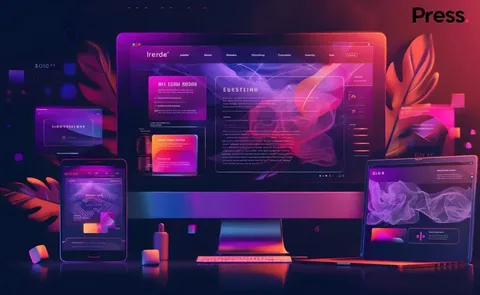
A modern website is rarely built from a few simple files. A typical web project can involve logos, illustrations, photographs, videos, design mockups, brand guidelines, UI elements, presentations, client feedback, and multiple versions of the same page.
As projects grow, managing all these assets can become surprisingly difficult.
Files may be stored across personal computers, cloud drives, messaging apps, email threads, and different project folders. One designer may be working on an older version while another team member has already updated the design. A client may request a small change, but finding the correct file can take longer than making the change itself.
This is why digital asset management has become an important part of modern web design services.
Instead of treating file organization as a secondary task, creative teams can build a structured system that keeps their designs, media, and project resources accessible throughout the entire website development process.
The Growing Complexity of Web Design Projects
Website design has become much more than creating a homepage and a few internal pages.
Modern projects often include:
- Desktop and mobile layouts
- UI and UX design files
- Brand assets
- Product images
- Marketing graphics
- Illustrations and icons
- Video and animation files
- Design prototypes
- Client presentation materials
- Website content
- Development handoff files
Each asset can go through several revisions before a project is completed.
Without a clear system, creative teams can quickly end up with folders containing names such as:
homepage-final.fig
homepage-final-v2.fig
homepage-final-new.fig
homepage-final-approved.fig
This may sound familiar to anyone who has worked on a large creative project.
The problem is not necessarily the number of files. The real challenge is knowing which files matter, who can access them, and which version should be used.
Why File Organization Affects Creative Work
Designers are hired to solve visual and communication problems, not spend hours searching through folders.
When digital assets are poorly organized, small administrative tasks begin to interrupt creative work.
A designer may need to search through several locations to find a logo. A developer may wait for an updated design file. A marketing team may accidentally use an outdated image. A client may review an older version of a design.
These interruptions can create unnecessary delays.
A centralized workspace can reduce this friction by giving teams a consistent place to organize project files and creative assets.
For teams providing web design services, this becomes particularly useful when several people are working on the same website.
Version Control Helps Prevent Costly Mistakes
One of the biggest challenges in creative projects is version confusion.
Designs change frequently. A homepage might go through ten or twenty revisions before approval. If those versions are not clearly managed, team members may accidentally work from outdated files.
Version control creates a clearer workflow.
Instead of relying on filenames or remembering which file was sent in an email, teams can establish an organized system for project assets and revisions.
This makes it easier to answer simple but important questions:
- What is the latest design?
- Which version was approved?
- Has the client reviewed this file?
- Which assets are ready for development?
- Which files are still being edited?
A structured approach can save time and reduce avoidable mistakes.
Collaboration Becomes Easier When Assets Are Centralized
Web design projects often involve more than designers.
A typical project may include:
- UI/UX designers
- Graphic designers
- Developers
- Content writers
- Marketing teams
- Project managers
- Clients
- External stakeholders
Each person may need access to different files.
A centralized workspace allows teams to organize assets around projects instead of individual devices. This can make design collaboration easier because everyone has a clearer understanding of where important resources belong.
Pocket Office’s website design environment is designed around centralized creative assets, shared workspaces, permissions, and collaboration for design teams.
Access Matters for Remote Design Teams
Creative work is no longer limited to a single studio.
Designers may work from home, a coworking space, a client office, or another location. Teams may also be distributed across different cities or countries.
This creates another challenge: creative assets need to remain accessible without forcing everyone to work from the same physical machine.
A cloud-based workspace can provide a more flexible approach.
Instead of transferring large files between devices or relying on one office computer, team members can access the resources they need through their workspace.
This becomes especially useful for responsive web design projects where designers may need to review layouts across different devices and screen sizes.
Creative Software Needs a Connected Workspace
Web designers often rely on specialized digital design tools rather than a single application.
A project may involve design, prototyping, image editing, presentation, and collaboration tools.
Pocket Office supports web design services by integrating with platforms such as Adobe Creative Cloud, Figma, and Canva, alongside cloud storage tools.
The goal is not necessarily to replace the tools designers already use.
Instead, a connected creative workspace can help teams organize how those tools, files, and projects fit together.
That distinction is important.
Good workflow management should make creative software easier to use rather than add another layer of complexity.
Permissions Are Important for Client Projects
Not every person involved in a website project needs access to every file.
For example, a client may need to review approved designs without accessing internal drafts. A developer may need final design assets but not confidential business documents. A freelance designer may need access to one project without seeing another client’s information.
Permission-based access can help teams maintain better control over shared assets.
It allows organizations to think about access according to roles and responsibilities rather than giving everyone access to everything.
This is particularly valuable for agencies managing multiple clients at the same time.
Better Asset Management Can Improve Client Experience
Clients do not usually see the internal organization behind a website project.
However, they experience the effects of it.
When a design team can quickly find the correct file, respond to feedback, provide updated versions, and move approved assets into development, the overall project can feel more organized.
A smoother internal workflow can therefore contribute to a smoother client experience.
It also gives project managers greater visibility into where a project stands.
Building a Better Workflow for Web Design Teams
Digital asset management does not have to mean creating complicated systems.
A practical web design workflow can start with a few simple principles:
1. Create a Central Project Workspace
Keep important website assets associated with the correct project rather than scattered across different locations.
2. Establish Clear Naming Conventions
Consistent file names make it easier to understand what a file contains and whether it is a draft, review version, or approved asset.
3. Separate Working and Approved Assets
Designers should be able to experiment without accidentally causing another team member to use an unfinished file.
4. Define Access Levels
Give team members access according to their responsibilities.
5. Keep Client Feedback Organized
Connect feedback with the relevant design or project rather than relying entirely on separate email conversations.
6. Make Assets Accessible Across Devices
A flexible workspace can help designers continue their work without being tied to one particular machine.
The Future of Web Design Is Also About Better Workflows
Technology continues to give designers more powerful creative tools. But having better tools does not automatically create a better workflow.
As websites become more sophisticated, website design teams will continue to manage larger collections of files, more contributors, and more frequent revisions.
The organizations that establish clear systems for managing these resources can spend less time searching, transferring, and organizing files—and more time creating useful digital experiences.
For businesses offering website design services, this is an important shift. Web design is not only about what users see on the screen. It is also about the systems that help the people behind the screen create, review, organize, and deliver that experience.
A well-structured creative workspace can become an important part of that process.
Final Thoughts
Great web design requires creativity, but creativity also needs the right environment.
When files are organized, versions are clear, access is controlled, and digital design tools can work together, teams can spend more time designing and less time dealing with unnecessary workflow problems.
As remote and distributed creative teams become more common, digital asset management, responsive web design workflows, centralized creative workspaces, and secure collaboration will continue to play an important role in how modern websites are created.
Pocket Office brings these ideas together through a cloud-based workspace designed to help creative teams organize assets, collaborate, and access their work across devices.
Get in Touch with Pocket Office
Malaysia: +60 146600012
USA: +60 146600012
India: +91 9967940928
Website: https://pocket-office.ai/
Leave a Reply