
Running a business involves much more than selling products or delivering services.
Behind every successful company are dozens of everyday processes—answering customer questions, managing documents, processing information, handling administrative work, tracking performance, and keeping different teams connected.
As a company grows, managing all of these activities internally can become difficult.
This is one reason Business Process Outsourcing (BPO) has become such an important part of modern business operations.
But outsourcing today isn’t simply about handing work to another company.
The real opportunity is to combine skilled people, well-defined processes, and the right technology to create a more efficient way of working.
What Is Business Process Outsourcing?
Business Process Outsourcing, commonly known as BPO, is when a business uses an external team or service provider to manage specific business processes.
These processes can include:
- Customer support
- Administrative tasks
- Data processing
- Technical support
- Finance and accounting
- Document management
- Back-office operations
- Order processing
- Helpdesk services
The idea is fairly simple.
Instead of building and managing every department internally, a company can work with specialized teams for selected functions.
This can allow internal employees to focus more on the company’s core activities while outsourced teams handle specific operational responsibilities.
Why Are More Businesses Using BPO?

One of the biggest reasons companies consider outsourcing is flexibility.
Imagine a growing business that suddenly receives a large increase in customer inquiries.
Hiring and training a completely new internal department could take considerable time.
With the right business process outsourcing services, the company may be able to scale its support operations more quickly by working with an experienced external team.
Outsourcing can also give businesses access to specialized skills without requiring them to build every capability internally.
But there is an important factor that determines whether outsourcing actually works well:
How effectively can the internal and outsourced teams work together?
The Real Challenge Is Coordination
Outsourcing a process doesn’t mean the business can forget about it.
Someone still needs to monitor performance, review service levels, share information, solve problems, and make sure the outsourced team understands the company’s expectations.
This can become challenging when teams are spread across different locations.
For example, a business could have:
- Management in Malaysia
- Customer support in India
- Technical teams in another country
- Customers across several markets
Without a shared system, information can become scattered across emails, spreadsheets, chat applications, and separate platforms.
A centralized workspace can help bring these activities together.
Pocket Office’s BPO solution is designed to help internal teams and BPO partners collaborate around workflows, performance metrics, and documentation.
A Centralized Operations Hub Can Make a Difference
One of the most useful aspects of modern outsourcing solutions is centralized visibility.
Instead of asking different teams for separate updates, managers can have access to information about outsourced operations through a unified environment.
For example, businesses may want to monitor:
- KPIs
- Service levels
- Compliance metrics
- Reports
- Customer interactions
- Tickets
- Turnaround times
- Productivity
Pocket Office specifically highlights a centralized operations hub for monitoring KPIs, service levels, compliance metrics, and reporting.
This doesn’t mean managers need to watch every task.
Rather, they have better visibility when something needs attention.
Real-Time Performance Tracking
Numbers can tell you a lot about an outsourced process.
But only if you’re looking at the right numbers.
Suppose a customer support team closes 500 tickets in a week.
That sounds impressive.
But what if the average response time has increased significantly?
Or customer satisfaction has fallen?
Or many tickets are being reopened?
This is why BPO performance tracking matters.
Businesses need to look beyond the amount of work completed and understand the quality and speed of the service being delivered.
Pocket Office supports tracking of tickets, customer interactions, turnaround times, productivity metrics, and service standards.
Supporting Teams Across Different Locations

Modern BPO operations can involve offshore, nearshore, and onshore teams.
This gives businesses flexibility, but it can also create communication challenges.
A team working in one country may start its day while another team is finishing theirs.
Different working hours, processes, and communication styles can make coordination difficult.
A shared digital workspace can provide a common environment where authorized teams can access the information and workflows they need.
Pocket Office supports distributed workforce coordination across offshore, nearshore, and onshore teams within the same system.
Technology Should Support People, Not Complicate Their Work
There’s a common misconception that adopting more technology automatically makes a business more efficient.
It doesn’t.
If employees have to move between ten different applications just to complete one process, technology can actually create more work.
The better approach is to connect the tools people already use and create a simpler workflow around them.
Pocket Office provides a browser-based workspace that brings files, applications, and teams together in one environment.
For BPO teams, this can provide a more consistent place to work with business resources and processes.
Integrating the Tools Your Teams Already Use
Businesses rarely start from zero.
A customer support team might already use Zendesk or Freshdesk.
A larger organization might use Salesforce Service Cloud.
Replacing these systems just because you’re introducing a new workspace isn’t always practical.
That’s why integration matters.
Pocket Office’s BPO solution supports integration with Zendesk, Freshdesk, and Salesforce Service Cloud, helping connect customer service workflows, documentation, and business process automation.
This means businesses can build around their existing technology instead of unnecessarily replacing it.
Where Does AI Fit Into BPO?
AI is changing how many business processes are handled.
Tasks that once required employees to manually sort, categorize, or process information can increasingly be assisted by automation.
For example, AI and automation can potentially help with:
- Sorting customer requests
- Routing tickets
- Processing documents
- Generating reports
- Finding information
- Handling routine inquiries
- Supporting repetitive workflows
This is where AI business process automation becomes interesting.
The goal isn’t necessarily to replace the people doing the work.
Instead, automation can handle repetitive parts of a process while employees concentrate on situations requiring human judgment and communication.
Pocket Office’s BPO page specifically positions its integrations around support workflows and AI business process automation.
People Still Matter
Even with all the talk about AI, successful BPO still depends heavily on people.
A customer with a complicated problem doesn’t always want an automated response.
They want someone who understands the situation.
The same applies to administrative, financial, technical, and operational processes.
Technology is most useful when it removes unnecessary repetitive work and gives people better information to make decisions.
A strong BPO model therefore combines:
People + Processes + Technology + Automation
Documentation Is More Important Than It Looks
Here’s something businesses sometimes overlook when outsourcing:
Documentation.
When an external team starts managing a process, they need to understand how that process works.
They may need access to:
- Standard operating procedures
- Training documents
- Customer information
- Process guidelines
- Internal policies
- Product information
- Service requirements
If these resources are spread across emails and personal folders, onboarding becomes much harder.
A centralized workspace can make it easier for authorized employees and partners to access the right documentation.
Pocket Office’s BPO solution specifically includes shared workflows and documentation as part of its centralized approach.
BPO Isn’t Only About Reducing Costs
Cost savings are often one of the first things people associate with outsourcing.
But that’s only part of the picture.
Businesses can also use BPO to gain:
- Specialized expertise
- Operational flexibility
- Faster scaling
- Additional workforce capacity
- Extended support capabilities
- More time for internal teams to focus on core activities
For example, a software company may prefer to focus its internal developers on improving its product rather than spending their time managing routine administrative processes.
Outsourcing can help separate these responsibilities.
What Makes a Good BPO Strategy?
Choosing a BPO provider is only the beginning.
Businesses should also think about how the outsourced process will be managed.
Define the Process Clearly
Everyone should understand what is being outsourced and what the expected outcome is.
Set Measurable KPIs
Performance should be measured using meaningful metrics.
Keep Communication Simple
Internal and external teams should have clear ways to communicate.
Protect Business Information
Access should be controlled according to each user’s role and responsibilities.
Keep Documentation Organized
Employees should be able to find the information they need without searching through hundreds of messages.
Use Technology Where It Adds Value
Automation and integrations should simplify processes rather than create additional complexity.
How Pocket Office Supports BPO Teams
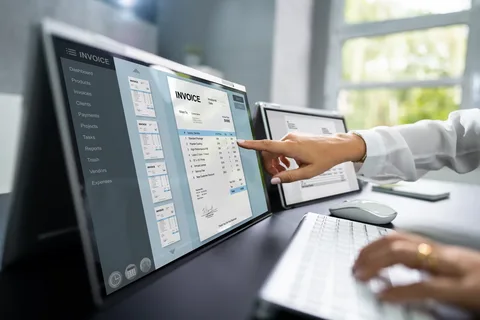
Pocket Office provides a centralized cloud environment designed to help businesses and outsourced teams work together more effectively.
Its BPO solution focuses on areas such as:
- Centralized operations
- Workflow management
- Performance tracking
- Multi-location workforce support
- Documentation
- Customer service integrations
- AI business process automation
The wider Pocket Office platform also provides a browser-based cloud desktop that brings files, applications, and teams into a unified workspace.
You can learn more about the solution here:
Business Process Outsourcing & Outsourcing Solutions
And if you’re interested in how the wider cloud workspace works, you can explore the Pocket Office Cloud Desktop.
The Future of Business Process Outsourcing
BPO is becoming more connected to technology.
Businesses are increasingly looking beyond traditional outsourcing and considering how cloud workspaces, automation, integrations, analytics, and AI can improve outsourced operations.
This doesn’t mean technology will replace the people behind BPO.
Instead, the most effective model is likely to be one where technology handles repetitive tasks and gives employees better tools, while people remain responsible for communication, decision-making, and problem-solving.
That combination can make outsourced operations more flexible and easier to manage.
Final Thoughts
Business Process Outsourcing is no longer simply about sending work to an external team.
Modern BPO is about creating an efficient operating model where people, processes, information, and technology work together.
With centralized operations, performance tracking, multi-location workforce support, software integrations, and automation, businesses can get more visibility into their outsourced processes while giving teams the tools they need to work effectively.
Pocket Office brings these capabilities together in a cloud-based environment designed for modern BPO and distributed teams.
If your business is considering outsourcing or looking for a better way to manage existing outsourced operations, you can learn more about Pocket Office’s Business Process Outsourcing & Outsourcing Solutions.
Get in Touch with Pocket Office
Malaysia: +60 146600012
USA: +60 146600012
India: +91 9967940928
Website: Pocket Office
Leave a Reply