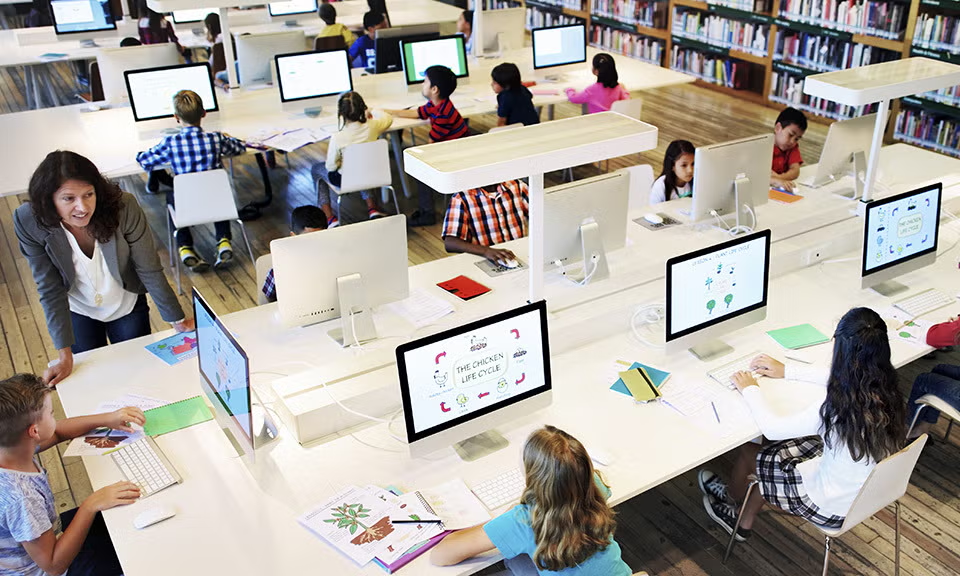
Education is changing quickly.
Students are no longer dependent on a classroom, a school computer, or a physical folder to access everything they need to learn. Assignments, lesson materials, presentations, projects, communication, and collaboration are increasingly becoming part of a digital learning environment.
But moving education online also creates new challenges.
Students may use different devices. Teachers may manage resources across multiple platforms. Assignments can be spread across different systems, and institutions need to make sure the right people have access to the right information.
This is where Pocket Office takes a different approach.
Rather than treating digital education as a collection of separate applications, Pocket Office provides a unified cloud desktop where students and educators can access learning materials, assignments, applications, and collaboration tools in one environment.
What Is a Digital Classroom?
A digital classroom is more than an online meeting.
It is an environment where students and educators can access the resources they need to teach and learn.
This can include:
- Course materials
- Assignments
- Documents
- Educational applications
- Collaboration tools
- Shared files
- Communication resources
- Learning platforms
The challenge is keeping these resources organized.
When students have to move between multiple systems to find files, complete assignments, and collaborate, the learning experience can become unnecessarily complicated.
Pocket Office approaches this by bringing important resources into a centralized cloud workspace.
1. One Workspace for Students and Educators
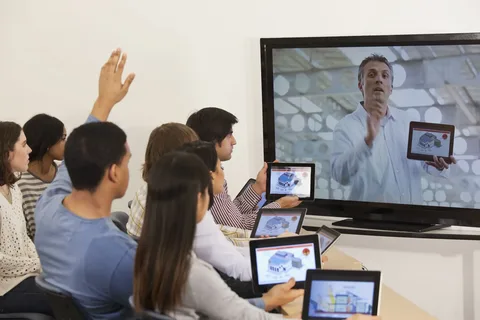
One of the main ideas behind Pocket Office’s education solution is the unified digital classroom.
Instead of depending on a specific physical computer, students and educators can access their workspace through a cloud-based environment.
Learning materials, assignments, and collaboration resources can remain available within the same digital workspace.
This can help create a more consistent experience for students whether they are working in a classroom, computer lab, or from home.
2. Learning Can Continue Beyond the Classroom
One of the biggest advantages of a cloud-based learning environment is continuity.
A student might begin working on an assignment at school and need to finish it later at home.
With a traditional device-dependent workflow, this may involve downloading files, transferring documents, or finding another way to access school resources.
Pocket Office is designed to support classroom-to-home learning, allowing students to continue their work across devices without having to repeatedly re-upload files or lose progress.
This creates a learning environment that is less dependent on where the student happens to be.
3. A Cloud Desktop Can Simplify Digital Learning
The idea behind a cloud desktop is relatively straightforward.
Instead of keeping the entire working environment tied to one physical computer, the workspace is hosted in the cloud and accessed through the browser.
Pocket Office describes its platform as a cloud desktop that brings files, applications, and teams into a unified environment. It is designed to run across devices without requiring traditional software installation.
For educational institutions, this approach can make it easier to provide students and educators with a consistent digital workspace.
4. Education Needs Different Levels of Access
Not everyone in an educational institution needs access to the same information.
A student may need course materials and assignments.
A teacher may need access to teaching resources and student-related materials.
An administrator may require access to broader institutional information.
This makes access control an important part of education management software.
Pocket Office supports role-based permissions so that students, teachers, and administrators can access content relevant to their roles.
This approach can help institutions maintain better structure over shared digital resources.
5. Existing Education Platforms Still Matter

A digital workspace does not need to replace every tool an institution already uses.
Schools and educational organizations may already depend on platforms such as Google Classroom, Moodle, Canvas LMS, or Microsoft Teams for Education.
The challenge is making these tools work as part of a broader workflow.
Pocket Office’s education solution integrates with these education platforms, helping institutions connect course management, assignments, and collaboration within their broader digital workspace.
This allows organizations to build on existing technology rather than completely starting over.
6. Making Remote Education More Practical
Remote education requires more than video calls.
Students need access to learning materials, assignments, applications, and collaboration resources regardless of their location.
A cloud-based workspace can help provide this consistency.
Pocket Office supports classroom and remote learning through a centralized environment where students and educators can access relevant resources.
This can be particularly useful for institutions that use a combination of classroom, hybrid, and remote learning models.
7. Collaboration Becomes Part of the Learning Environment
Learning is not always an individual activity.
Students work together on projects. Teachers share resources. Departments collaborate on educational programs.
A digital workspace can make these interactions easier to organize.
Pocket Office includes collaboration capabilities such as real-time file sharing, shared workspaces, team permissions, and activity tracking as part of its broader platform.
Instead of treating collaboration as something separate from learning, institutions can make it part of the digital classroom itself.
Why Pocket Office Can Be Useful for Modern Education
The value of technology in education is not simply about having more applications.
It is about reducing unnecessary friction.
If students can access their resources more easily, teachers can organize materials more effectively, and institutions can manage access from a centralized environment, the technology becomes part of a smoother learning workflow.
Pocket Office brings these elements together through a cloud-hosted workspace designed for secure access, collaboration, and flexible learning environments.
The Future of the Digital Classroom
The future classroom may not be defined by a physical room.
Instead, it may be a combination of physical classrooms, computer labs, home environments, cloud applications, digital resources, and collaborative workspaces.
That does not mean technology replaces teachers or traditional education.
It means technology can provide the infrastructure that allows education to remain connected when students and educators move between different environments.
A platform such as Pocket Office can support this transition by providing a consistent cloud desktop where learning resources, assignments, applications, and collaboration tools can exist within one connected environment.
Final Thoughts
A successful digital learning environment needs more than individual educational applications.
It needs a foundation that connects those tools and makes them easier for students and educators to use.
Pocket Office approaches this through a unified cloud desktop designed for education, supporting digital classrooms, classroom-to-home learning, role-based access, collaboration, and integration with existing education platforms.
As education continues to become more connected, flexible, and digital, having a consistent workspace can help institutions create learning environments that are easier to access and manage.
Get in Touch with Pocket Office
Malaysia: +60 146600012
USA: +60 146600012
India: +91 9967940928
Website: https://pocket-office.ai/