
The way we work has changed dramatically over the past few years.
Teams are no longer always sitting in the same office, using the same computers, or working with files stored in one physical location. Employees may work from home, travel between offices, collaborate with international teams, or switch between laptops, tablets, and other devices throughout the day.
With this change comes a simple question:
How can businesses give their teams a consistent, secure, and productive workspace no matter where they work from?
One answer gaining attention is the cloud desktop.
Unlike a traditional computer that keeps most applications, files, and settings on one physical device, a cloud desktop provides access to a working environment through the internet. This can give employees greater flexibility while helping businesses centralize important resources.
What Is a Cloud Desktop?
A cloud desktop is essentially a computer environment hosted in the cloud rather than being completely dependent on a user’s physical device.
Instead of installing everything locally, employees can access a browser-based workspace where they can work with files, applications, communication tools, and other business resources.
This changes the relationship between the employee and their device.
Your laptop becomes a way to access your workspace rather than the workspace itself.
For businesses with distributed teams, this can make working across different locations much easier.
Pocket Office, for example, provides a browser-based cloud desktop that brings files, applications, and teams together in a unified environment. It is designed to work across devices without requiring traditional software installation.
Why Are Businesses Moving Toward Cloud Workspaces?
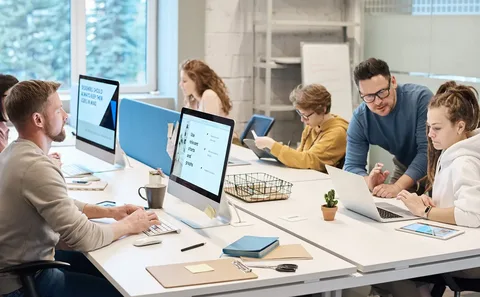
Traditional IT environments can become complicated as businesses grow.
A company might have:
- Employees using different computers
- Files stored across multiple platforms
- Applications installed on individual devices
- Remote employees connecting through different systems
- Multiple cloud storage providers
- Separate communication and collaboration tools
None of these things are necessarily a problem on their own.
The challenge comes when employees have to constantly switch between them.
A cloud workspace can help bring many of these activities into one centralized environment.
Instead of thinking about individual devices, businesses can focus more on providing employees with access to the workspace they need.
Work From Almost Anywhere
One of the biggest advantages of a cloud desktop is flexibility.
An employee might start working from the office in the morning, continue from home in the afternoon, and access the same workspace while traveling.
With a browser-based environment, the employee does not necessarily need to use the same physical computer every time.
This is particularly useful for:
- Remote teams
- Hybrid employees
- Consultants
- Freelancers
- Distributed businesses
- Companies with multiple offices
- Employees who travel frequently
The goal isn’t simply to let people work remotely.
It is to make the experience of working remotely feel more consistent.
Your Files Shouldn’t Depend on One Computer
Think about an employee who has important project files saved on their office computer.
They suddenly need to work from home.
If those files are stored only on that computer, accessing them can become inconvenient.
Cloud-based workspaces can change this model by making files and resources available through a centralized environment.
Pocket Office includes file management and storage capabilities with flexible permissions, allowing businesses to control who can view, edit, or share files.
This can also help teams avoid situations where multiple people unknowingly work on different versions of the same document.
Collaboration Becomes Easier
Modern work is rarely an individual activity.
A project may involve a designer, developer, manager, accountant, consultant, and client—all working from different locations.
When files and communication are scattered across different platforms, collaboration can become difficult.
A unified workspace can make it easier for teams to share files, access common resources, and work together.
Features such as shared workspaces, real-time file sharing, team permissions, and activity tracking can help create a more structured collaborative environment.
The idea is simple:
People should spend more time working together and less time searching for where something was saved.
Security Should Be Part of the Workspace
Remote access creates another important consideration: security.
Businesses need to think carefully about who can access company information and what those users are allowed to do.
A good cloud workspace should therefore provide controls such as:
- Role-based access
- Permission management
- Secure file access
- Backup and recovery
- Activity tracking
- Data protection
These controls can help businesses maintain greater visibility over their information while still allowing employees to work flexibly.
Pocket Office places security within the workspace itself, including role-based access, backup and recovery, and secure data protection capabilities.
Cloud Storage Doesn’t Have to Mean Moving Everything

One common concern businesses have when adopting a new platform is migration.
Companies may already have important information stored in Google Drive, Amazon S3, OneDrive, Dropbox, or other storage systems.
Moving everything to a completely new platform can take time and create unnecessary disruption.
A more practical approach can be to connect existing storage systems to a unified workspace.
Pocket Office supports integrations with several cloud and enterprise storage providers, including Amazon S3, Alibaba OSS, Tencent COS, Google Drive, OneDrive, Dropbox, and MinIO. Its homepage also states that existing storage architecture can remain unchanged rather than requiring a complete migration.
This approach allows businesses to improve how employees access information without necessarily rebuilding their entire storage infrastructure.
One Workspace, Multiple Applications
Modern employees rarely use just one application.
A typical workday might involve email, project management software, spreadsheets, communication tools, design applications, customer systems, and file storage.
Switching between applications isn’t always avoidable, but the experience can be made more organized.
A centralized cloud desktop can provide an application launcher and desktop-style interface where employees can access their commonly used tools from one environment.
This can make the digital workplace feel more like a familiar computer while providing the flexibility of cloud infrastructure.
Cloud Desktops Can Help Distributed Teams
Distributed teams have become increasingly common.
A business may have employees in different cities or even different countries. Managing everyone’s technology consistently can become challenging.
A cloud desktop can provide a more standardized working environment.
Instead of configuring every employee’s computer in exactly the same way, organizations can provide access to a shared cloud-based workspace.
This can be particularly useful for businesses that need employees to access the same files, applications, and workflows regardless of location.
Different Industries, Different Needs
A cloud workspace isn’t limited to one type of business.
Different industries can use centralized digital work environments in different ways.
Education
Schools and educational organizations can use centralized workspaces for assignments, learning materials, and collaboration between students and educators.
Healthcare
Healthcare teams can benefit from controlled access to documents, applications, and information while supporting collaboration between departments.
Finance and Legal
Financial and legal teams often work with confidential documents and require structured access, permissions, and accountability.
IT and Software
Development teams can use centralized environments to access technical documentation, project resources, repositories, and internal systems.
Pocket Office specifically presents solutions for these types of workflows, alongside industries such as consulting, manufacturing, media, retail, and BPO.
Is a Cloud Desktop the Same as Cloud Storage?
Not exactly.
This is an important distinction.
Cloud storage primarily focuses on storing and accessing files.
A cloud desktop goes further by providing an entire working environment.
Think of it this way:
Cloud storage = Where your files live.
Cloud desktop = Where you work with your files, applications, and digital tools.
A cloud desktop can connect to existing storage while also providing applications, multitasking, collaboration, and workspace management.
This distinction becomes increasingly important as businesses move toward more connected digital workplaces.
Productivity Is About Reducing Friction
Productivity isn’t always about working faster.
Sometimes it is about removing small frustrations.
Finding the right file.
Switching between applications.
Remembering where a document was saved.
Requesting access to a folder.
Setting up a new device.
Searching for the latest version of a document.
These small interruptions can add up over time.
A unified workspace aims to reduce some of that friction by bringing frequently used resources into one environment.
Pocket Office’s cloud desktop includes features such as multiple-window support, drag-and-drop file management, keyboard shortcuts, shared workspaces, and synchronized access across devices.
What Should Businesses Consider Before Choosing a Cloud Desktop?
Not every cloud desktop solution will be suitable for every organization.
Businesses should consider several factors before making a decision.
1. Security
Understand how user access, permissions, backups, and data protection are handled.
2. Device Compatibility
Employees should be able to access the workspace from the devices they actually use.
3. Existing Integrations
Check whether the platform works with the storage and applications your business already depends on.
4. Scalability
The solution should be able to support the organization as its number of employees and workloads increase.
5. User Experience
Technology is only useful when people can actually use it comfortably.
A complicated interface can create a new problem instead of solving an old one.
6. Data Control
Businesses should understand where their information is stored and how access to it is managed.
The Future of Work Is Becoming More Flexible
The traditional idea of a workplace was tied closely to a physical office.
Today, the workplace is increasingly becoming digital.
Employees may work from different cities, countries, offices, homes, or shared spaces. What matters is not necessarily where the employee is sitting, but whether they can securely access the resources required to do their job.
Cloud desktops are part of this transition.
They bring together the flexibility of cloud computing with the familiar experience of a traditional desktop environment.
Final Thoughts
The rise of cloud desktops is not simply about replacing physical computers.
It represents a broader change in how businesses think about work.
Instead of tying productivity to a particular device or location, organizations can create digital workspaces that are accessible, collaborative, and centrally managed.
For remote teams, growing businesses, and organizations working across multiple locations, this can provide a practical foundation for a more flexible way of working.
The future workplace may not have one physical location.
It may simply be the workspace you can access wherever you are.